Try our service free
→ Discover complimentary downloads without needing a payment method.
Browse free








Free VST plugins explained: your 2026 production guide

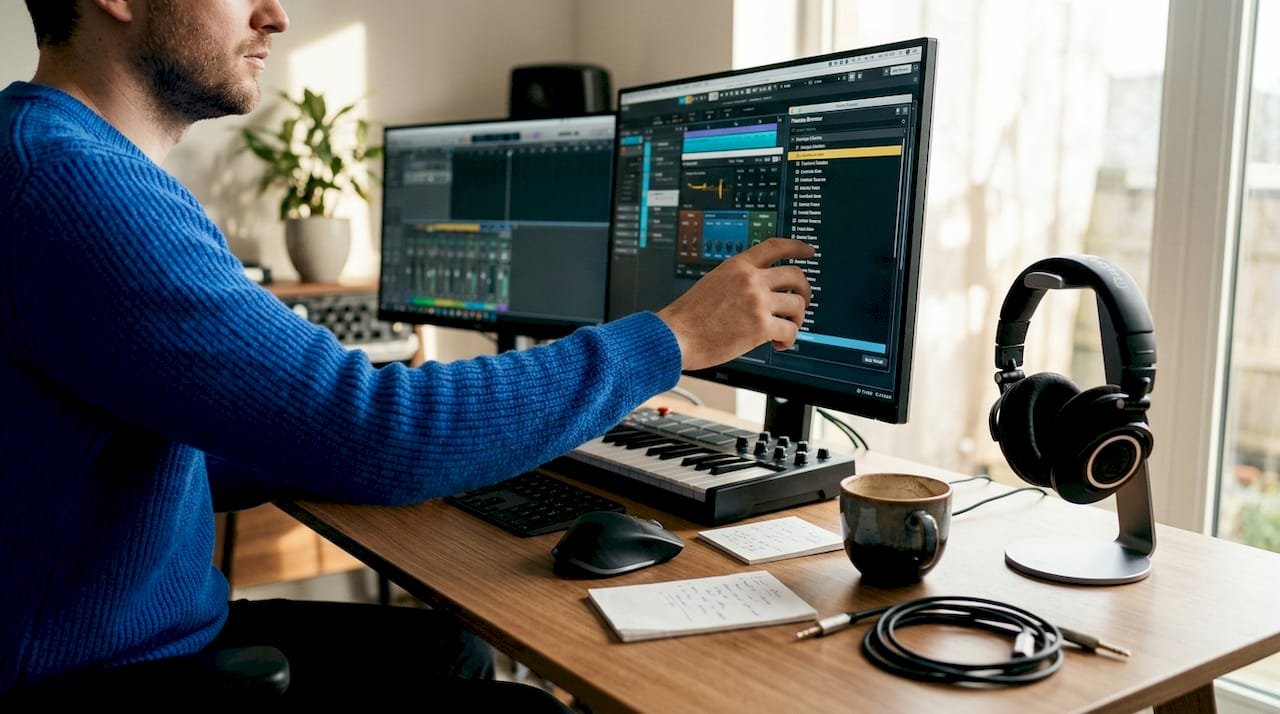
Free VST plugins are software instruments and effects that load directly inside a digital audio workstation (DAW), giving you professional-grade sound generation and audio processing at zero cost. Whether you are a bedroom producer just starting out or a seasoned sound designer looking to expand your toolkit without spending, understanding these tools is the foundation of modern music production. Plugins like Vital, Spitfire LABS, TDR Nova, Valhalla Supermassive, and the OTT compressor from Xfer Records prove that free does not mean compromised. This guide covers free VST plugins explained from first principles, including categories, installation, top picks, and how to build a focused toolkit that actually gets music finished.
What are free VST plugins and how do they work?
VST stands for Virtual Studio Technology, a format developed by Steinberg that allows software instruments and processors to run inside a host DAW such as Ableton Live, FL Studio, Logic Pro, or Reaper. Instrument plugins generate sound from MIDI data, while effects plugins process audio that already exists on a track. That single distinction shapes every decision you make when building a production setup.
The format has evolved through several versions. VST2 was the standard for over a decade, but VST3 is now the recommended format for new installations. Steinberg’s Nuendo, for example, supports both VST2 and VST3 but actively recommends VST3 for better performance and stability. On macOS, you will also encounter the AU (Audio Units) format, while Pro Tools uses AAX exclusively. Knowing which format your DAW supports before downloading anything saves considerable frustration.
Free plugins exist across every category a professional producer needs. The gap between free and paid has narrowed dramatically over the past five years, largely because developers use free tiers to build audiences before offering premium upgrades.
What are the different categories of free VST plugins?
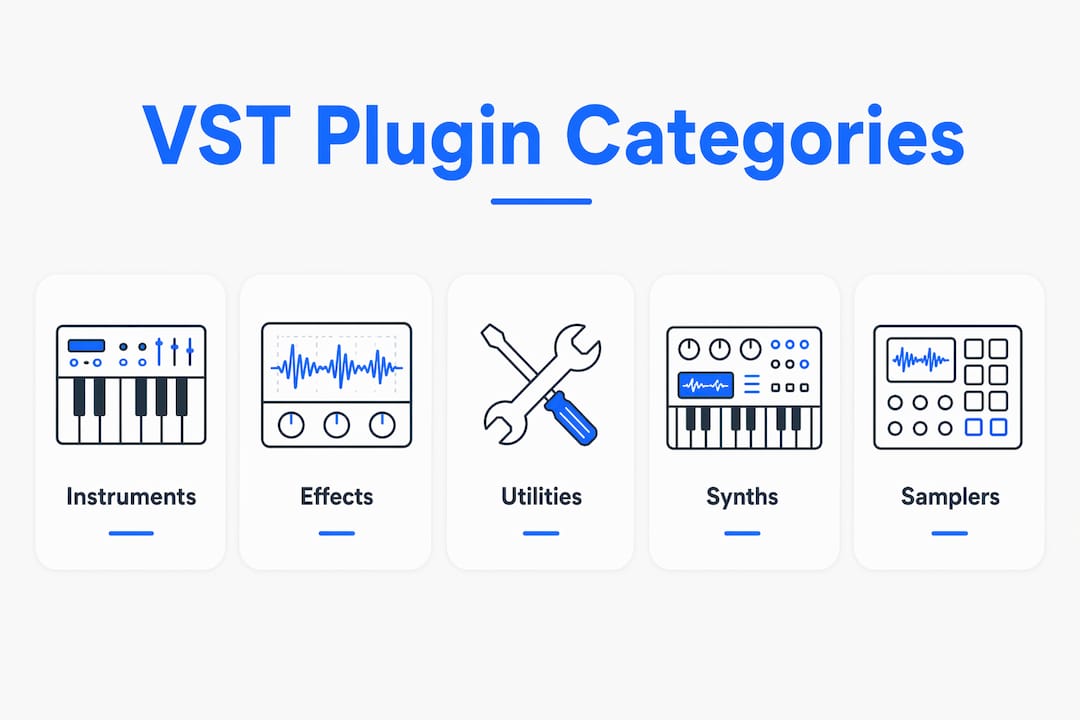
Understanding plugin categories is the fastest way to identify what you are missing in your signal chain. Each category serves a distinct role, and a well-rounded toolkit covers all three.
| Category | Role | Examples | Typical usage |
|---|---|---|---|
| Instruments | Generate sound from MIDI | Vital, Spitfire LABS, Dexed, Surge XT | MIDI tracks in your DAW |
| Effects | Process existing audio | TDR Nova, Valhalla Supermassive, OTT | Audio tracks and buses |
| Utilities | Analyse and manage signal | SPAN (spectrum analyser), MvMeter2 | Master bus, monitoring |
Instruments include synthesisers, samplers, and drum machines. Vital is a wavetable synthesiser that rivals paid alternatives in depth and sound quality. Dexed is a faithful FM synthesiser modelled on the Yamaha DX7, and Surge XT is an open-source hybrid synth with an enormous preset library. These all respond to MIDI notes and generate audio output.
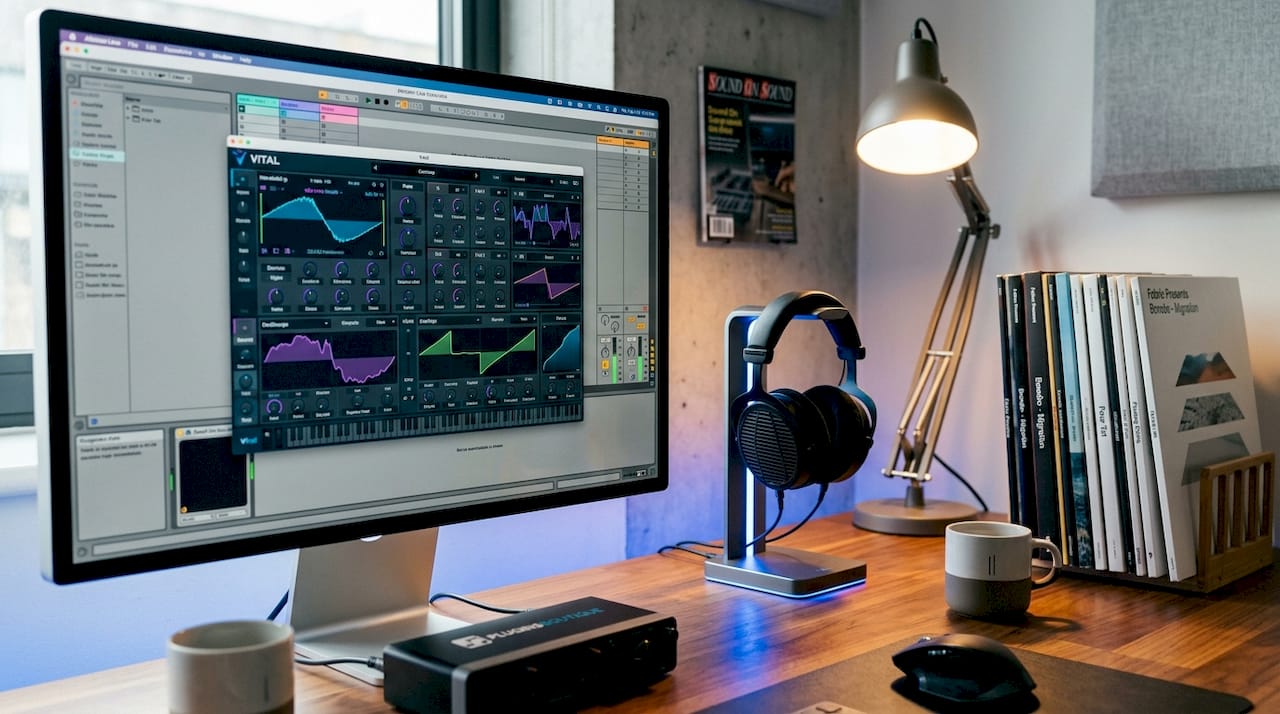
Effects sit on audio tracks or buses and shape the sound after it has been recorded or rendered. TDR Nova is a dynamic EQ capable of surgical frequency work that professionals use on commercial releases. Valhalla Supermassive produces lush reverbs and delays that are genuinely difficult to distinguish from expensive paid alternatives. OTT, the multiband upward and downward compressor from Xfer Records, has become a defining sound in electronic music production.
Utilities are the unsung category. Plugins like SPAN from Voxengo give you a real-time spectrum analyser so you can make mixing decisions based on data rather than guesswork. These tools do not make sound. They make you better at working with sound.
How to safely find, download, and install free VST plugins
The installation process is where most beginners encounter problems, and almost all of those problems are avoidable with a clear process.
Choosing trusted sources
Download plugins exclusively from official developer websites or curated platforms like Pluginsboutique. Unofficial mirror sites and torrent sources carry genuine risks, including malware bundled inside plugin installers. Reputable developers maintain clear download pages, version histories, and user forums where you can verify that others have installed the same version without issues.
Understanding plugin formats and folder locations
On Windows, VST3 plugins install to "C:Program FilesCommon FilesVST3by default, while VST2 plugins typically go toC:Program FilesVSTPlugins. On macOS, VST3 plugins live in /Library/Audio/Plug-Ins/VST3and AU plugins in/Library/Audio/Plug-Ins/Components`. One of the most common installation mistakes is placing a VST2 plugin in the VST3 folder. Plugins installed in the wrong folder will not appear in your DAW scan, no matter how many times you restart the software.
macOS security warnings
macOS frequently blocks free plugins from unverified developers with a warning that the software cannot be opened because the developer cannot be verified. This warning reflects a lack of notarisation rather than the presence of malware. Most legitimate free plugins from independent developers are simply not enrolled in Apple’s notarisation programme due to cost. The standard fix is to right-click the installer, select “Open,” and confirm you wish to proceed. For open-source plugins, building from source is a valid alternative that eliminates the warning entirely.
- Download only from official developer sites or trusted curated platforms
- Match the plugin format (VST2, VST3, AU) to what your DAW supports
- Place plugins in the correct system folder for their format
- On macOS, right-click and open unsigned installers rather than double-clicking
- After installation, rescan your plugin folder inside your DAW’s preferences
- Restart your DAW if a rescan does not surface the new plugin
Pro Tip: After installing a new plugin, open your DAW’s plugin manager and trigger a manual rescan rather than waiting for the automatic scan on next launch. Nuendo and Cubase, for instance, separate instruments from effects in the plugin manager, so check both lists if a plugin does not appear immediately.
What are the top free VST plugins for beginners and professionals in 2026?
The following plugins represent the strongest free options across core production categories. Each has active development, cross-platform support, and a user base large enough that tutorials and preset packs are widely available.
| Plugin | Category | Key features | Suitability |
|---|---|---|---|
| Vital | Synthesiser | Wavetable engine, spectral warping, 75 presets | Beginner to advanced |
| Spitfire LABS | Sampler/instruments | 80+ orchestral and experimental instruments | All levels |
| TDR Nova | Dynamic EQ | Four bands, parallel compression, mid/side mode | Intermediate to advanced |
| Valhalla Supermassive | Reverb/delay | 23 algorithms, massive spatial effects | All levels |
| OTT (Xfer Records) | Multiband compressor | Upward and downward compression, depth control | Intermediate |
| Dexed | FM synthesiser | DX7 emulation, 4,000+ presets | Beginner to intermediate |
| Surge XT | Hybrid synthesiser | Open-source, extensive modulation, large preset bank | Intermediate to advanced |
Vital deserves particular attention. The free tier includes the full synthesis engine with 75 presets, and paid tiers add more presets and wavetables without unlocking additional features. This means you are learning the same engine that paying users work with, which makes every tutorial and preset you encounter directly applicable.
Spitfire LABS is a separate case worth understanding. It is an always-free sample library with over 80 instruments, but it requires a free account and the dedicated LABS app to manage downloads. The instruments range from concert grand piano to experimental textures, all recorded at professional standard. For composers working on film, game audio, or ambient music, LABS alone can carry an entire project.
A recommended beginner starter set combines Vital for synthesis, Spitfire LABS for organic instruments, TDR Nova for EQ, Valhalla Supermassive for space, and OTT for dynamics. Together, these five plugins cover every stage of a production chain without a single pound spent.
How to build a focused free plugin toolkit without overwhelming yourself
The most common mistake producers make is not choosing bad plugins. It is installing too many good ones. Decision fatigue is real, and a library of 200 plugins produces worse music than a focused set of 10 that you know deeply.
A core chain of one synth, one dynamic EQ, one compressor, and one space effect is sufficient for most beginners before any investment in larger collections. This is not a limitation. It is a creative constraint that forces you to develop genuine skill with each tool rather than endlessly auditioning alternatives.
Stock DAW plugins are underrated in this context. Ableton Live’s built-in EQ Eight, FL Studio’s Parametric EQ 2, and Logic Pro’s Channel EQ are all professional-grade tools. Reaching for a third-party plugin before you have exhausted what your DAW already provides is a common time sink that delays actual music-making.
Here are practical guidelines for managing your plugin library:
- Start with five plugins maximum: one synth, one EQ, one compressor, one reverb, and one saturation tool
- Spend at least two weeks with each new plugin before adding another
- Remove plugins you have not used in three months. Unused plugins slow DAW scan times and clutter your browser
- Prioritise plugins with active communities and regular updates, as abandoned plugins break with OS updates
- Use your DAW’s native plugins for basic tasks and reserve third-party tools for specific sonic needs
Pro Tip: Organise your plugin folder with a simple naming convention such as “FX_EQ_TDRNova” or “INST_Synth_Vital” so your DAW browser surfaces the right tool instantly. This single habit saves more time than any individual plugin you will ever install.
Are free VST plugins safe, reliable, and worth using long-term?
These are the questions producers ask most often, and the answers are more straightforward than the internet suggests.
Are they safe? Free plugins from reputable developers are safe. The risk comes from unofficial sources, not the free pricing model. Open-source plugins like WetReverb, which supports Windows, Linux, and macOS with documented DSP parameters, offer an additional layer of transparency because you can inspect the code directly. For sound designers who want predictability over marketing claims, open-source tools are often the more trustworthy choice.
Will you outgrow them? Most producers do not outgrow Vital, TDR Nova, or Valhalla Supermassive. These are tools used on professional releases. What changes as you develop is your understanding of how to use them, not a need to replace them.
What about compatibility? Plugins can break when operating systems update, particularly on macOS after major version changes. Sticking to actively maintained plugins with recent release histories reduces this risk significantly. Check the developer’s changelog before any major OS update.
Are free and paid versions meaningfully different? For Vital specifically, the answer is no in terms of core functionality. The free tier withholds presets and wavetables, not synthesis capability. For other plugins, free tiers may limit polyphony, preset saving, or certain processing modes. Read the feature comparison on the developer’s page before assuming a paid upgrade is necessary.
Key takeaways
Free VST plugins covering synthesis, EQ, compression, and spatial effects give producers a complete professional production chain without any financial outlay, provided they install correctly and choose from trusted sources.
| Point | Details |
|---|---|
| Core plugin categories | Instruments generate sound from MIDI; effects process audio; utilities analyse signal. |
| Top free starter set | Vital, Spitfire LABS, TDR Nova, Valhalla Supermassive, and OTT cover every production stage. |
| Safe installation | Download from official sources, match plugin format to DAW, and rescan after installation. |
| Quality over quantity | A focused set of five plugins mastered deeply outperforms a library of hundreds used superficially. |
| macOS security warnings | Unsigned plugin warnings reflect missing notarisation, not malware. Right-click and open to proceed. |
Why I always tell producers to start with five plugins and stop there
At Pluginsboutique, we see the same pattern repeatedly. A producer discovers free plugins, installs forty of them over a weekend, and then spends the next month auditioning presets instead of finishing tracks. The plugins are not the problem. The approach is.
My honest recommendation is to treat your first five plugins as instruments you are learning to play, not software you are evaluating. Vital took me months to understand properly, and that investment paid off across hundreds of sessions. The same applies to TDR Nova. Once you understand dynamic EQ at a deep level, every mix decision becomes faster and more deliberate.
The challenge with free VST plugins is not finding quality options. It is filtering the noise and committing to a plan focused on finishing music rather than collecting tools. The producers I have seen grow fastest are not the ones with the largest plugin libraries. They are the ones who know exactly which tool to reach for and why.
Download from trusted sources, install carefully, and then close the browser. The music is waiting.
— pluginsboutique
Discover free and premium plugins at Pluginsboutique
Pluginsboutique curates both free and paid VST plugins in one place, so you can browse, compare, and download without trawling through unreliable third-party sites.
Whether you are building your first production setup or expanding an existing toolkit, the best free VST plugins of 2026 collection at Pluginsboutique gives you vetted options with installation support and compatibility information included. For producers ready to explore beyond free tiers, the top 25 VST plugins list mixes free and premium recommendations across every genre and production style. Every download comes with fast delivery and clear licensing details, so you spend less time troubleshooting and more time making music.
FAQ
What does VST stand for in music production?
VST stands for Virtual Studio Technology, a format created by Steinberg that allows software instruments and effects to run inside a DAW. It is the most widely supported plugin format across Windows and macOS production environments.
How do I install free VST plugins on Windows?
Place VST3 plugins in C:Program FilesCommon FilesVST3 and VST2 plugins in C:Program FilesVSTPlugins, then rescan your plugin folder inside your DAW’s preferences. Plugins installed in the wrong folder will not appear in your DAW browser.
Are free VST plugins as good as paid ones?
Several free plugins, including Vital, TDR Nova, and Valhalla Supermassive, are used on professional commercial releases and compare directly with paid alternatives. The free tier of Vital, for example, includes the full synthesis engine with all core features intact.
Why is my new plugin not showing up in my DAW?
The most common cause is installing the plugin in the wrong format folder, for example placing a VST2 file in the VST3 directory. Trigger a manual rescan in your DAW’s plugin manager and restart the application if the plugin still does not appear.
Can I use free VST plugins on macOS without security issues?
Yes. macOS security warnings about unverified developers reflect a lack of Apple notarisation rather than malware. Right-click the installer, select “Open,” and confirm you wish to proceed. For open-source plugins, building from source removes the warning entirely.
Recommended
- The 25 Best VST Plugins of 2026 – Pluginsboutique
- Best Free VST Plugins of 2026 | PluginsBoutique – Pluginsboutique
- Top Free VST Plugins for Windows & Mac – Instant Download with Google Drive Unlock powerful free VST plugins including FabFilter Twin 3, Kickstart 2, Scaler 3, Voxengo Bundle & more. Direct Google Drive downloads + installation help. No hassle, no cost – just great sound! Free VST Plugin Download Banner Discover the Ultimate Free VST Collection – 100% Free Download for Mac & Windows Looking for free, high-quality VST plugins without the hassle? You’re in the right place. At PluginsVST.com, we’re giving away some of the industry’s most useful and powerful plugins — with direct Google Drive links, no registration, and free installation help via WhatsApp or Anydesk. ️ What’s Included in This Free VST Collection? ✅ 1. Lexicon PCM Native Reverb Bundle (Mac/Windows) Studio-grade reverb processors used by professionals. Great for mixing and mastering. ✅ 2. DADA Life Bundle Fun and powerful synths and FX plugins from DADA Life – ideal for EDM and sound design. ✅ 3. FabFilter Twin 3 (Mac/Windows) A rich analog-modeled synth with drag-and-drop modulation. Perfect for any genre. ✅ 4. Roland Cloud Drum Machine Collection Get classic drum machines like the TR-808, TR-909, TR-707 – all in one pack. ✅ 5. Voxengo Bundle (Includes SPAN Plus) Free tools for mixing, mastering, and sound shaping. SPAN Plus is essential for visual analysis. ✅ 6. Scaler 3 (Mac/Windows) Master music theory in minutes. Suggests chords, scales, and melodies based on what you play. ✅ 7. Nicky Romero Kickstart 2 (Mac/Windows) The fastest way to achieve that iconic EDM sidechain sound. Just one knob – done. Key Features Works on macOS & Windows Compatible with FL Studio, Ableton, Logic Pro, Cubase, Reaper & more ⚡ Instant Google Drive Download Clean Files, No Malware, No Registration Free Installation Support via WhatsApp: +1 602-562-6619 How to Download? Click the Free Download button below and get instant access to all 7 plugins from our Google Drive — no waiting, no signup! Free VST Collection – Download Now ❓ FAQs Q: Are these plugins really free? ✅ Yes, they are completely free to download and use. Q: Will it work on my DAW? ✅ Yes, all plugins are compatible with major DAWs like FL Studio, Ableton Live, Logic Pro, Studio One, Cubase, and more. Q: Is installation help available? ✅ Absolutely! Message us on WhatsApp at +1 602-562-6619 for free install assistance or Anydesk support. ️ Want More Pro Plugins? We also offer premium VSTs like Nexus 5, Omnisphere 2, The Orchestra Complete, and Kontakt 8 Pro – all with 24/7 installation help. Why Choose PluginsVST.com? ⭐ Trusted by 10,000+ producers Fast & friendly support Updated library of FREE & premium VSTs Instant access, secure files
- Premium VST Plugins & Kontakt Libraries for Mac/Win | PluginsBoutique