Try our service free
→ Discover complimentary downloads without needing a payment method.
Browse free






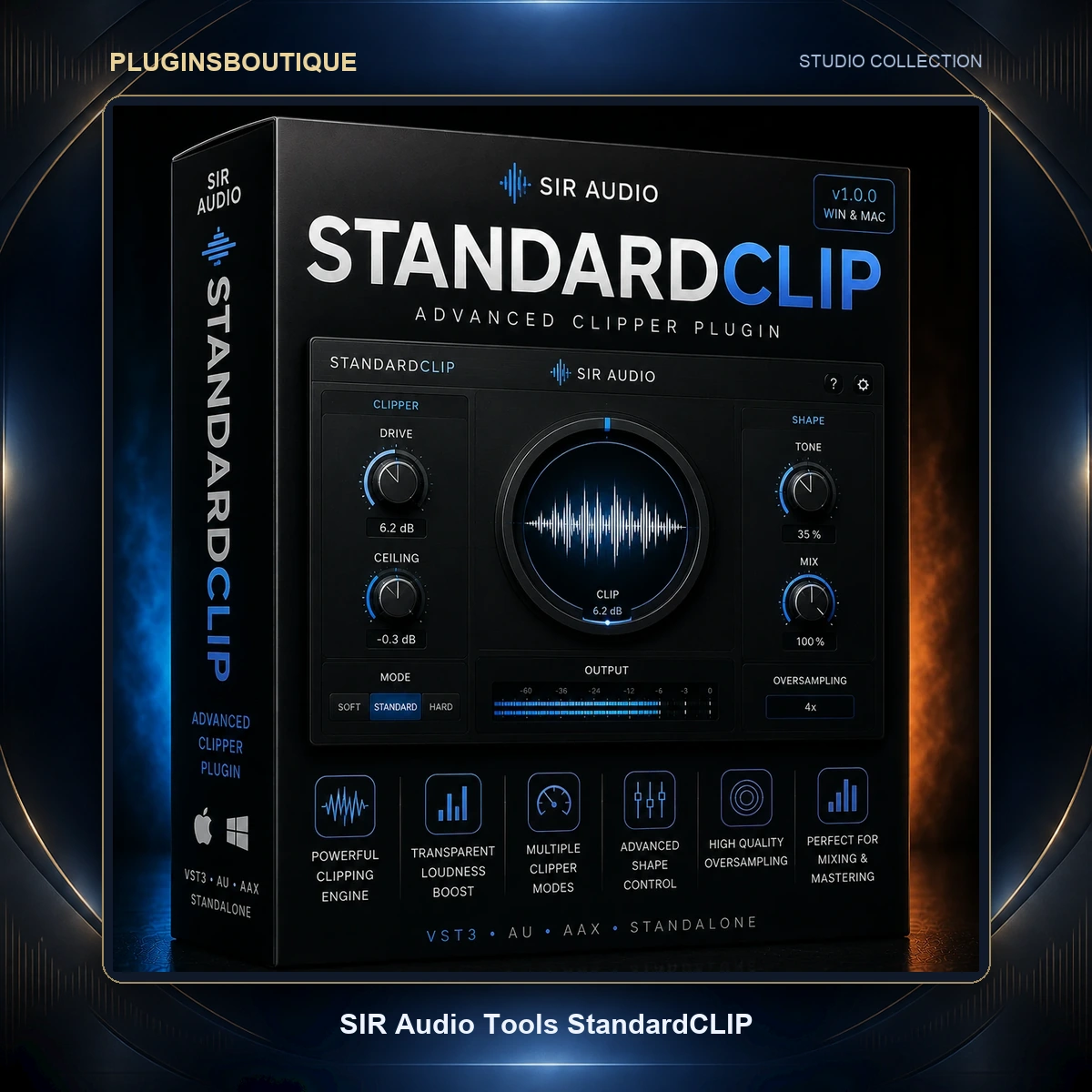


Overview
Clipping is arithmetic. Any signal above the ceiling gets truncated, and that truncation generates harmonic content. The difference between a clipper that sounds like distortion and one that sounds like extra loudness comes down almost entirely to how the truncation is filtered — which is precisely the part most plugins bury behind a single quality switch.
StandardCLIP takes the opposite position. Developed by Christian Knufinke of SIR Audio Tools, it surfaces the oversampling architecture as a set of user controls. You choose the oversampling factor, up to 256x. You choose whether the up-sampling and down-sampling filters run in linear-phase or minimum-phase mode. You set their quality and cut-off frequency. For anyone who has wondered why two clippers at the same settings sound different, this plugin makes the reason adjustable.
The developer documents two intended uses. The first is conventional: a dynamics stage in the master chain that raises volume by removing peaks. The second is as a harmonic generator, where the odd harmonics produced by clipping are the desired outcome rather than a side effect. Both are legitimate uses of the same processing, and the controls support either.
Current builds sit at version 1.6, which reflects a decade of incremental refinement rather than a recent release.
Why Choose This Plugin
Filter control is the strongest reason. Oversampling always requires anti-aliasing filters, and those filters impose a cost — linear-phase introduces pre-ringing, minimum-phase introduces phase shift. Neither is universally correct. Being able to switch between them, and to adjust steepness and cut-off, means the trade-off becomes a decision instead of an inherited default.
A second reason is the Output Gain Assistant, which solves a genuine and under-discussed problem. Because oversampling reconstructs the waveform at a higher rate, peaks can appear above the clipping ceiling after down-sampling. The assistant runs while you play the loudest section of the project and sets the output fader to the highest value that guarantees no sample exceeds the ceiling. That is aliasing prevention handled by measurement rather than by leaving headroom and hoping.
Third, the metering shows the work. The output waveform display overlays the pre-reduction level in red against the output level, so the depth of clipping is visible frame by frame. Half-waveform view mode expands the vertical scale for fine adjustment.
Fourth, format coverage is unusually wide, including AAX for Pro Tools and a 32-bit Windows build for older sessions.
Key Features
- Oversampling up to 256x — far beyond the 4x or 16x ceiling common in comparable tools.
- User-configurable oversampling filters — select linear-phase or minimum-phase, and adjust filter quality and cut-off frequency.
- Continuously variable clip shape — from hard-limiting brick wall through to smooth soft saturation.
- Ratio 2:1 clip mode for a gentler, more compressor-like transfer curve.
- Output Gain Assistant — measures your loudest passage and sets output gain to the highest level that prevents any overshoot past the ceiling.
- Input and output RMS metering, with RMS Full Scale Sine (+3 dB) referencing available.
- Maximum peak and RMS displays, resettable with a mouse click.
- Waveform display with pre-reduction overlay — the red trace shows incoming level against output level, making reduction depth visible.
- Half-waveform view mode for precise level adjustment at expanded vertical scale.
- Latency compensation maintained correctly when the plugin is bypassed, including in Cubase.
- No dongle — licence-key authorisation only.
What’s Included
Purchase provides the StandardCLIP licence key and access to installers for both platforms. SIR Audio Tools also distributes a fully functional demo build, so the plugin can be evaluated on real sessions before a key is purchased.
The developer maintains a detailed manual covering the signal diagram and the oversampling configuration, plus a separate compatibility note for Logic Pro automation. Free updates within the version line have been the developer’s practice historically.
System Requirements
SIR Audio Tools publishes compatibility in terms of formats and architecture rather than a long specification list:
- Plugin formats: VST, VST3, Audio Unit and AAX
- Architecture: 64-bit Intel for Windows and Mac, Apple Silicon native, plus a 32-bit Windows build
- Pro Tools: version 11 or newer
- Authorisation: licence key, no dongle hardware
- Modest disk footprint; the plugin is small by contemporary standards
Exact minimum operating system versions have shifted across the release history, so confirm the current figures on the official product page for the build you download. One practical note: CPU load scales directly with the oversampling factor. Running 256x on many channels at once is expensive, and most engineers reserve the highest settings for a single master-bus instance.
Installation Guide
- Download either the demo or the full version for your platform from SIR Audio Tools. The Windows and Mac builds carry slightly different point-version numbers, which is normal.
- Run the installer and select the plugin formats you need — VST, VST3, AU or AAX.
- Launch your DAW and rescan plugin folders if StandardCLIP does not appear in the list.
- Open the plugin and enter your licence key to convert the demo into the full version.
- Logic Pro users should read the developer’s automation compatibility note before building automation-heavy sessions.
For a clean removal, note that the installer places supporting files outside the plugin folder. On Mac these live in the user’s Music folder under Audio Music Apps, in a SIR Audio Tools directory. On Windows they sit in the application data folder in a SIR Audio Tools directory. Deleting only the plugin binary leaves these behind.
Compatibility
The four-format coverage means StandardCLIP loads across essentially the entire professional landscape: Pro Tools via AAX, Logic via AU, and Cubase, Ableton Live, Studio One, Reaper, FL Studio and Bitwig via VST or VST3. Apple Silicon Macs run it natively, and Pro Tools compatibility on Apple Silicon was specifically addressed in the 1.6 line.
The surviving 32-bit Windows build is worth flagging. Studios maintaining legacy sessions in older hosts rarely find current plugins that will load at all, and this remains a practical reason engineers keep StandardCLIP installed.
Who Is This Plugin For?
- Mastering engineers who want clipping ahead of the limiter and need to control exactly how the truncation is filtered.
- Mix engineers clipping individual sources — drums especially — where the 2:1 ratio mode offers a gentler curve than hard clipping.
- Producers chasing loudness in competitive genres, where a few dB gained before the limiter changes how the master holds together.
- Anyone using clipping as colour, exploiting the odd-harmonic generation as a saturation effect on bass or synths.
- Pro Tools users, given native AAX support with current Apple Silicon compatibility.
Engineers who prefer a single knob and a good default will find the configurability tiring. This plugin assumes you want to make the decisions yourself.
Workflow Benefits
Visible reduction changes how the decisions get made. The red pre-reduction overlay against the output waveform means the depth of clipping is something you read rather than something you infer from a gain-reduction number. Overprocessing tends to happen when the processing is invisible.
The Output Gain Assistant removes a repeated manual step. Without it, avoiding intersample overshoot means leaving arbitrary headroom, checking with a true-peak meter, and adjusting — a loop that costs several minutes every time the mix changes. The assistant collapses that into playing the loudest section once.
Adjustable oversampling also supports a sensible working method: monitor at a low factor to keep CPU load down while making decisions, then raise it for the final render. Because the filter behaviour is explicit rather than hidden, the difference between the two states is predictable.
Frequently Asked Questions
1. What is StandardCLIP?
An advanced clipping plugin from SIR Audio Tools, usable both as a dynamics tool for raising volume and as a harmonic generator for adding odd harmonics.
2. How much oversampling does it offer?
Up to a factor of 256, which is substantially higher than most clippers provide.
3. Can I control the oversampling filters?
Yes. You can select linear-phase or minimum-phase mode and adjust filter quality and cut-off frequency.
4. What is the difference between linear-phase and minimum-phase here?
Linear-phase preserves phase relationships but can introduce pre-ringing; minimum-phase avoids pre-ringing but shifts phase. Which is preferable depends on the material.
5. What clip shapes are available?
Anything from a hard-limiting brick wall to smooth soft saturation, plus a Ratio 2:1 mode for a gentler curve.
6. What does the Output Gain Assistant do?
It sets the output gain to the highest value that guarantees no output sample exceeds the ceiling, preventing the overshoots that oversampling can produce. Play your loudest passage while it runs.
7. Which plugin formats are supported?
VST, VST3, Audio Unit and AAX.
8. Does it run natively on Apple Silicon?
Yes, and Pro Tools compatibility on Apple Silicon was specifically improved in the 1.6 releases.
9. Is there a 32-bit version?
A 32-bit Windows build is provided alongside the 64-bit builds.
10. Does it need a dongle?
No. Authorisation uses a licence key with no hardware requirement.
11. Is there a demo?
Yes, SIR Audio Tools provides demo builds for both Windows and Mac.
12. Can I see how much clipping is happening?
Yes. The waveform display overlays the pre-reduction level in red against the output level, and half-waveform mode expands the scale for precision.
13. Does bypassing it cause timing problems?
Latency compensation on bypass was corrected in the release history, including for Cubase.
14. Should I use it before or after my limiter?
Clipping normally goes before the limiter, removing peaks so the limiter has less work to do. Using it after defeats most of the benefit.
Conclusion
StandardCLIP has survived in working mastering chains for a decade because it treats clipping as an engineering problem with adjustable parameters rather than an effect with a taste knob. Exposing the oversampling filters is the decision that sets it apart, and the Output Gain Assistant addresses an overshoot issue that most competing plugins leave to the user to discover.
It asks for more understanding than a one-knob clipper and rewards it with more control. For engineers who already know why filter phase matters, that trade is straightforward.
Comparable dynamics and loudness tools appear under Mix & Master Plugins, and larger processing collections under Plugin Bundles. The manual, signal diagram and demo builds are published by the developer at siraudiotools.com.











Reviews
Clear filtersThere are no reviews yet.