Try our service free
→ Discover complimentary downloads without needing a payment method.
Browse free




Knock Audio KNOCK Review: Make Your Drums Hit Harder
By PluginsBoutique Team · August 17, 2026
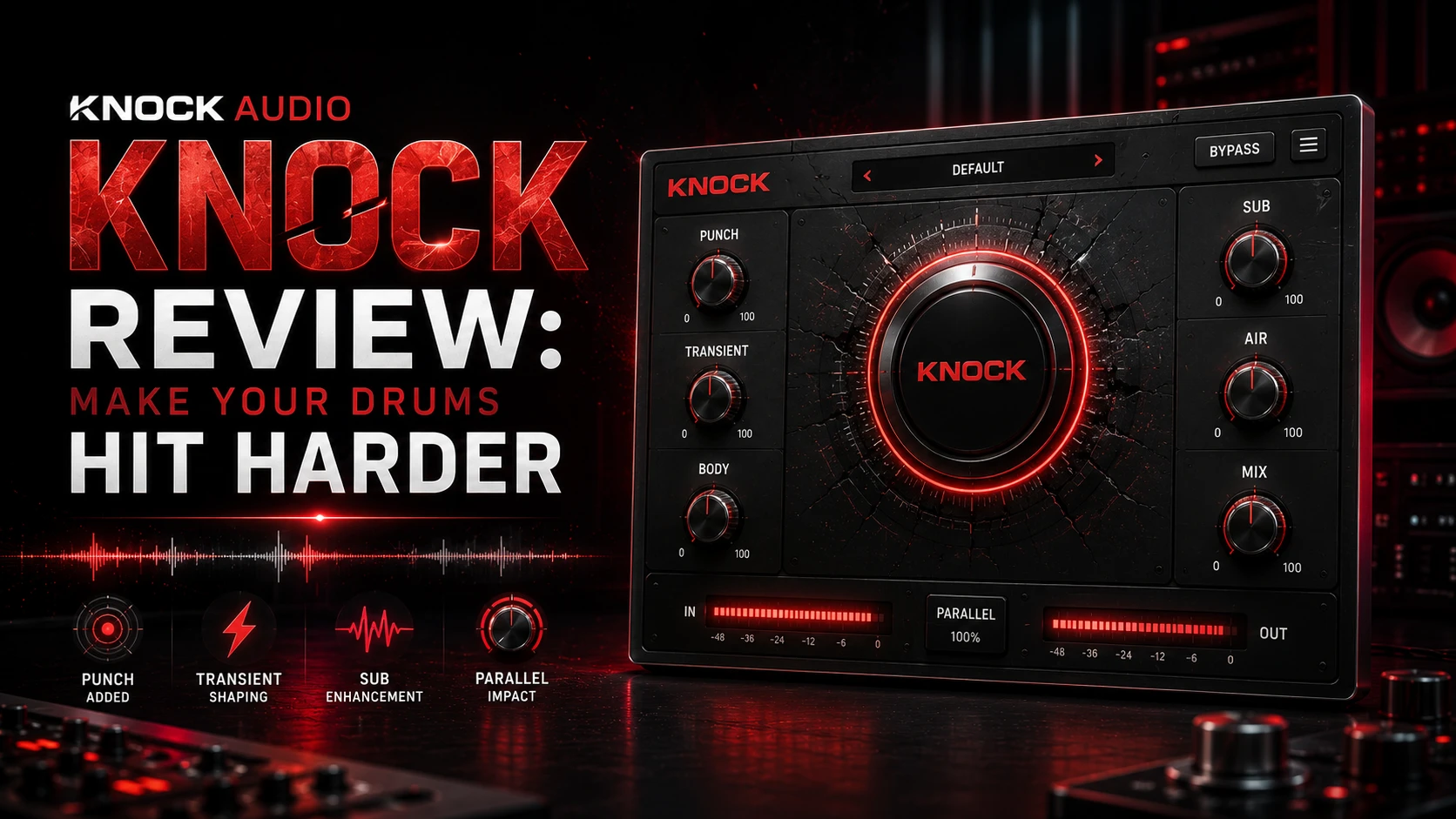
Knock Audio KNOCK Review
Five essential drum-processing tools in one focused plugin. Add attack, saturation, sub weight, top-end presence and clipping to make your drums hit harder and cut through the mix.
Punch
Saturate
Sub
Air
Clip
DECAP Presets
Knock Audio KNOCK is built around a simple idea: give producers a fast way to make drums sound bigger, punchier and more aggressive. Instead of opening several separate plugins, KNOCK combines five important stages of drum processing into one streamlined interface. You can explore the product here: Knock Audio KNOCK .
What Is Knock Audio KNOCK?
KNOCK is a drum enhancement plugin designed for processing kicks, snares, percussion, one-shots and full drum loops.
Created by producer and sound designer DECAP, the plugin combines transient shaping, harmonic saturation, sub enhancement, high-frequency processing and clipping.
PUNCH
Attack
SATURATE
Character
SUB
Low End
AIR
Presence
CLIP
Impact
The Five Core Processing Modules
01
Punch
Enhance drum transients and bring more attack to kicks, snares, percussion and drum loops.
02
Saturate
Add harmonic distortion using Soft, Medium or Hard modes for additional density and character.
03
Sub
Generate a layered sub-frequency tone triggered by kick activity and adjust the pitch to suit your production.
04
Air
Add smooth top-end presence with Vintage and Clean processing modes.
05
Clip
Use hard or soft clipping to increase aggression, density and perceived loudness.
FX
Factory Presets
Start quickly with factory presets created by DECAP and adapt them to your own drums and production style.
Explore Knock Audio KNOCK
If you want to add more punch, weight, character and energy to your drums, explore the full Knock Audio KNOCK plugin and see how its five processing modules can fit into your workflow.
Why Use One Plugin for Drum Processing?
A typical drum-processing chain might include a transient shaper, saturation plugin, low-end enhancer, EQ and clipper.
KNOCK brings several of these approaches together in one workflow, making it easier to experiment without constantly switching between different plugin windows.
- Add more snap and attack
- Create harmonic density
- Reinforce kick drum low end
- Add smooth high-frequency presence
- Push drums with adjustable clipping
Punch: Make Drums Cut Through
The Punch module focuses on the transient portion of the sound. This can be particularly useful when kicks or snares sound flat, soft or buried inside a dense mix.
Useful for:
- Kick drums
- Snares
- Claps
- Drum loops
- Individual percussion hits
Saturate: Add Character and Density
Saturation introduces additional harmonics that can make drums feel more present and energetic.
KNOCK provides three saturation modes, allowing you to move from a softer character toward more aggressive processing.
S
Soft
A gentler option for subtle harmonic enhancement.
M
Medium
A balanced level of saturation for additional character.
H
Hard
A more aggressive option for heavily processed drums and 808s.
Sub: Reinforce Your Kick Drum
The Sub module detects kick drum activity and generates an additional low-frequency layer.
This can help reinforce kicks that lack weight or extend the low-frequency energy of electronic drum sounds.
- Add low-end weight
- Layer additional sub frequencies
- Adjust the generated sub pitch
- Match the processing to the musical key
Air: Add Presence Without a Complicated EQ Chain
The Air module focuses on enhancing the upper frequencies of your drums. With Vintage and Clean modes, it provides a quick way to experiment with additional brightness and presence.
Clip: Push Your Drums Further
Clipping is commonly used in modern drum production to control peaks while adding density and aggression.
KNOCK includes both hard and soft clipping options, allowing users to choose between a more aggressive or smoother clipping response.
Who Is KNOCK For?
HP
Hip-Hop Producers
Shape punchy kicks, hard snares and powerful 808-based drums.
EDM
Electronic Producers
Add impact, low-end weight and aggressive character to programmed drums.
POP
Pop Producers
Enhance modern drum production with fast and focused processing.
MX
Mix Engineers
Use multiple processing stages from one interface when shaping individual drum tracks or drum buses.
System Compatibility
- macOS 11 or later
- Windows 8.1, Windows 10 and Windows 11
- VST3 support
- AU support on macOS
- AAX support for Pro Tools
- Apple Silicon compatible
- 8 GB RAM minimum
- 16 GB RAM recommended
- Minimum 500 MB storage space
Frequently Asked Questions
What is Knock Audio KNOCK?
KNOCK is a drum processing plugin combining Punch, Saturate, Sub, Air and Clip modules in one interface.
Does KNOCK include presets?
Yes. KNOCK includes factory presets created by DECAP.
Can KNOCK add more punch to drums?
Yes. The Punch module is designed to enhance drum transients and increase attack.
Can KNOCK add sub bass to kicks?
Yes. The Sub module detects kick activity and generates a layered sub-frequency tone with adjustable pitch.
Does KNOCK work with FL Studio?
KNOCK supports VST3 and can be used in compatible versions of FL Studio.
Does KNOCK work with Logic Pro?
Yes. KNOCK supports the AU plugin format for compatible macOS DAWs.
Does KNOCK support Pro Tools?
Yes. KNOCK supports the AAX plugin format.
Final Verdict
Knock Audio KNOCK is a focused drum-processing tool designed for producers who want faster access to several important sound-shaping techniques.
The combination of Punch, Saturate, Sub, Air and Clip makes it possible to move from subtle enhancement to aggressive drum processing without building a large plugin chain.
For producers working with modern hip-hop, trap, pop, electronic music and other drum-focused styles, KNOCK provides a streamlined way to experiment with impact, harmonics, low-end weight, brightness and clipping from one interface.
Ready to Make Your Drums KNOCK?
Explore Knock Audio KNOCK and add more punch, character, weight and energy to your drum productions.
View Knock Audio KNOCK →
PLUGINSBOUTIQUE








