Try our service free
→ Discover complimentary downloads without needing a payment method.
Browse free




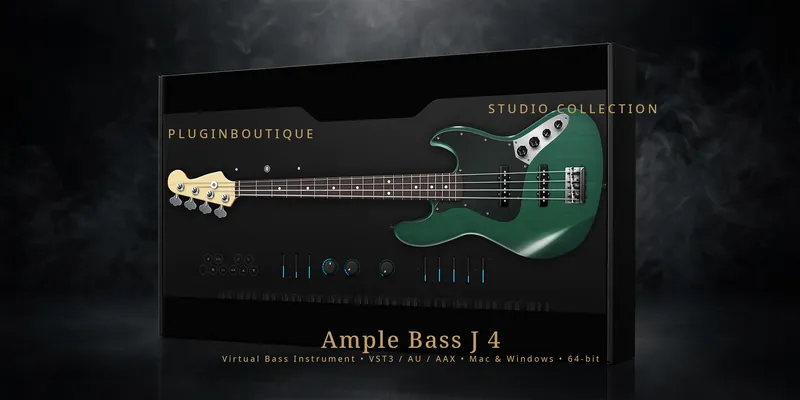


# Ample Bass J 4 — Virtual Fender Jazz Bass for Mac & Windows
Ample Bass J 4 by Ample Sound is the virtual instrument that puts a meticulously sampled Fender Jazz Bass (John English Masterbuilt) directly inside your DAW. Built on the v4 generation of Ample Sound’s acclaimed sampling engine, it delivers the growl, snap, and low-end weight of the most recorded bass guitar in history — playable as VST3, AU, AAX, or standalone on both Mac and Windows, with Fingerstyle and Pick libraries included.
## A Jazz Bass sampled to the last detail
Every note of Ample Bass J 4 comes from deep multi-sampling of the real instrument: 13 articulations including Sustain, Palm Mute, Natural Harmonic, Hammer On & Pull Off, Legato Slide, Slide In, Slide Out, Slap, Pop, Tap, Accentuated, Repeat Note, and Dead Note, across 3.71 GB of 24-bit content. Polyphonic legato and a dedicated slide smoother keep fast runs and glides sounding human at any tempo, and drop tuning down to B0 is fully supported for modern low-tuned styles.
## Key features
– Fender Jazz Bass (John English Masterbuilt), Fingerstyle + Pick libraries
– 13 articulations: sustain, palm mute, harmonics, hammer-on/pull-off, slides, slap, pop, tap, dead notes and more
– Riffer 4: MIDI editor built for plucked strings with dual Piano Roll and Tab views, string visualization, and full MIDI import/export
– Tab Reader 4: import Guitar Pro files (GP3 to Guitar Pro 8) with fingering and articulations intact
– AMP system: 3 classic bass heads (Vintage-15, Bass-500, Bass-Pro), 4 cabinets (1×15, 2×10, 4×10, 8×10), 4 mic types (U87, C414, MD421, SM57)
– Built-in FX: 8-band EQ, compressor, delay, and convolution reverb
– Hundreds of included bass riffs to spark ideas fast
– VST2, VST3, AU, AAX (64-bit) and standalone — Mac (macOS 10.15+) and Windows (7–11, 64-bit)
## Compose bass lines like a session player
The standout workflow tool in Ample Bass J 4 is Riffer 4, a MIDI editor designed specifically for plucked string instruments. Write in piano roll or guitar tab with real-time switching between the two, while the string visualization system assigns notes to strings the way a real bassist would — no doubled notes on the same string, no impossible fingerings. Import a Guitar Pro file and the entire bass track lands in Riffer with articulations and performance data preserved, ready to audition with the Jazz Bass sound.
## Finished bass tone without leaving the plugin
Ample Bass J 4 doesn’t stop at the instrument. The built-in amp system models three classic bass heads and four cabinets with four studio mic options, and the FX section adds 8-band EQ, compression, delay, and convolution reverb — so you can go from dry DI to a fully produced, mix-ready bass tone inside a single insert.
## Frequently asked questions
**Does Ample Bass J 4 work on Mac and Windows?** Yes — macOS 10.15 or later and Windows 7 through 11 (64-bit), as VST2, VST3, AU, AAX, and standalone.
**How much disk space does it need?** Over 10 GB free (the library itself is 3.71 GB), installed on an internal drive or a fast external SSD.
**Can I import my own tabs?** Yes — Tab Reader 4 reads Guitar Pro files from GP3 to Guitar Pro 8, importing full bass tracks with fingering and articulations.
**What does my purchase include?** The Ample Bass J 4 instrument with Fingerstyle and Pick libraries, download links for both Mac and Windows, and lifetime access to your files. Every customer receives their own individual license key. Instant download delivery via email.













Reviews
Clear filtersThere are no reviews yet.