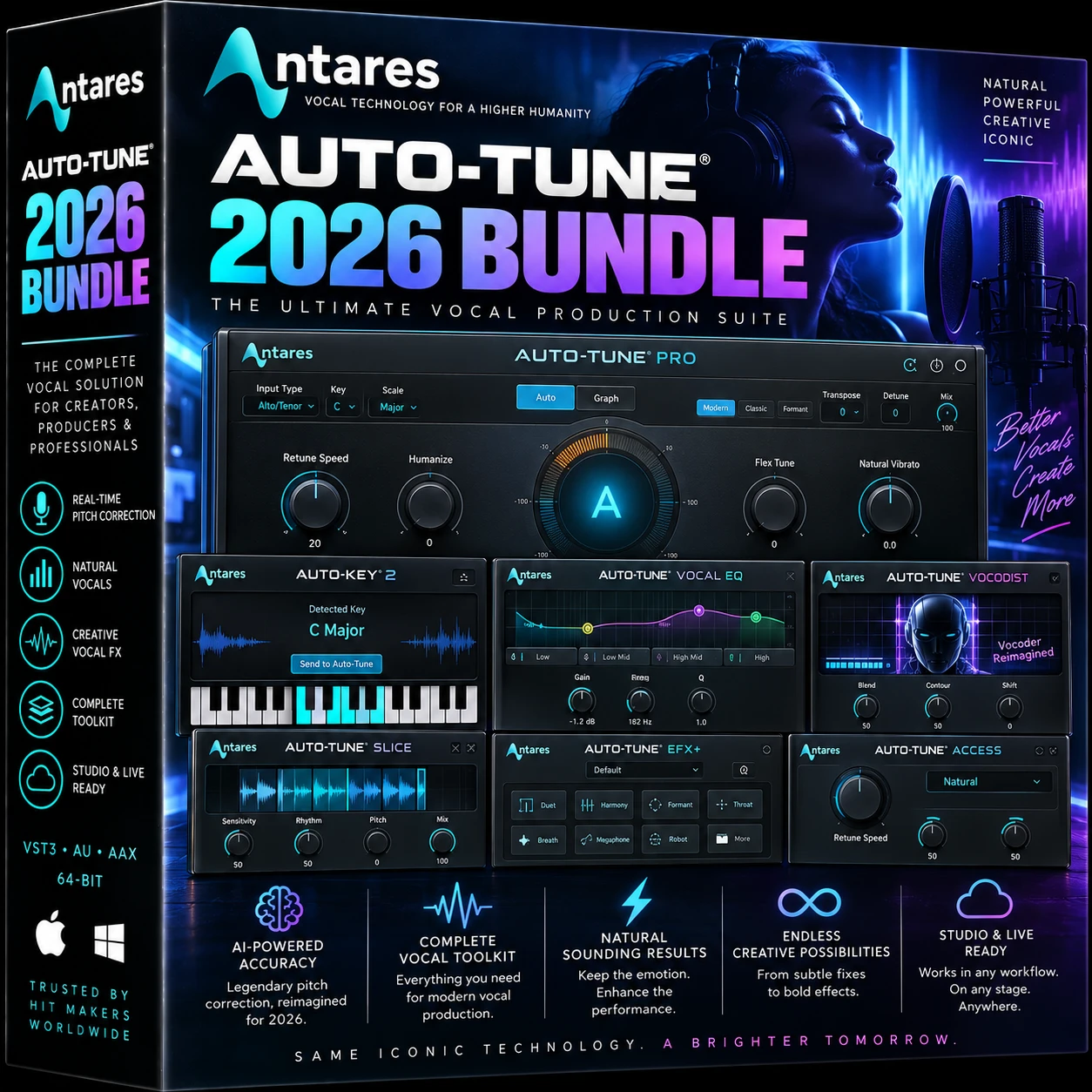
Antares Auto-Tune 2026 Bundle delivers modern professional vocal pitch correction for producers, singers, engineers and creators working on Mac or Windows. Built around Antares’ redesigned AutoTune 2026 technology, the bundle provides fast, efficient pitch correction with an intuitive workflow for both natural vocal tuning and recognizable Auto-Tune effects.
AutoTune 2026 includes two algorithm modes, Flex Tune, visual feedback, MIDI control, customizable scales and Auto-Key 2 compatibility. It is designed for efficient real-time processing and can be used across multiple vocal tracks with low CPU overhead.
The current Antares ecosystem supports native Apple Silicon Macs, including processors up to M4, while Windows users can integrate AutoTune into major DAWs using supported plug-in formats.
Pluginsboutique Offer
Hurry and get discounts on all VST Plugins up to 90%
Your download link will be sent instantly to your email.
Free 2-Day returns if not work
Payment Methods:
Description
Professional Vocal Pitch Correction for Modern Music Production
Antares Auto-Tune 2026 Bundle brings Antares’ latest generation of pitch-correction technology to modern music production. Whether you’re producing pop, hip-hop, R&B, EDM, country, rock or cinematic vocals, AutoTune 2026 is designed to provide fast and precise control over vocal pitch without making the workflow unnecessarily complicated.
Antares describes AutoTune 2026 as a complete reimagining of its pitch-correction technology, rebuilt around modern production workflows and optimized performance.
Here is the Tutorial Video
Included
Autotune 2026
Autotune EFX+
Auto-Key
Natural Correction or Classic Auto-Tune Effects
One of the biggest strengths of AutoTune 2026 is its ability to accommodate different vocal-production approaches.
For transparent vocal editing, producers can use slower correction settings and Flex Tune to retain more of the singer’s natural pitch movement. For contemporary effects, faster settings can create the recognizable tightly tuned Auto-Tune sound associated with modern pop, rap and electronic music.
This makes the plugin useful for both subtle corrective work and creative vocal production.
Modern Mode and Flex Tune
AutoTune 2026 introduces a streamlined workflow focused on making pitch correction easier to understand and control.
Flex Tune provides additional control over how aggressively the correction responds to the singer. This allows engineers to find a balance between accurate intonation and natural vocal expression.
The software also provides visual feedback so you can see how the correction is affecting the vocal rather than relying exclusively on your ears.
Custom Scales and Vocal Control
AutoTune 2026 allows you to customize the active notes in a scale directly from its keyboard interface. This is particularly useful when working with melodies that contain unusual notes, intentional chromatic movement or custom harmonic structures.
Combined with key and scale selection, this gives producers more control over how the pitch-correction engine interprets a vocal performance.
Efficient for Multiple Vocal Tracks
Modern productions can contain dozens of vocal tracks, including leads, doubles, harmonies, ad-libs and background vocals.
Antares states that AutoTune 2026 has been optimized for efficient multi-instance use, with less than 3% overhead for linear scaling under its stated testing conditions.
That makes the plugin particularly attractive for sessions where pitch correction needs to be applied across multiple tracks.
Designed for Studio and Live Performance
AutoTune 2026 is also designed for real-time applications. Antares specifically positions the software for live performance, with low-latency processing intended to allow corrected vocals to be monitored in real time.
For studio production, it can be inserted directly into a vocal channel. For live setups, it can become part of a real-time vocal-processing chain.
Mac, Apple Silicon
The bundle is designed for modern Mac and Windows production systems.
Antares’ August 2026 compatibility announcement confirms native Apple Silicon compatibility for current AutoTune editions, including Apple Silicon processors up to M4.
AutoTune 2026 supports major DAWs including:
Pro Tools
Logic Pro
Ableton Live
Cubase
Studio One
FL Studio
Other compatible VST3/AU/AAX hosts
Auto-Key 2 Compatibility
AutoTune 2026 also works with the Auto-Key 2 ecosystem, making it easier to establish the correct key and scale for a vocal-production session.
For producers working quickly across multiple songs, automatic key detection can significantly reduce setup time before pitch correction begins.
Installation and Activation
AutoTune products are installed and managed through Auto-Tune Central, Antares’ official application for installation, updates and license activation.
For third-party purchases, Antares instructs users to redeem their registration code through the Redeem a License section before installing and activating the product.
Each AutoTune 2026 license can be activated on up to two locations simultaneously, including computers and/or an iLok dongle.
Who Is Auto-Tune 2026 For?
Auto-Tune 2026 is suitable for:
Music producers
Recording engineers
Vocalists
Mixing engineers
Home studios
Professional recording studios
Content creators
Live performers
Pop and hip-hop producers
R&B and electronic music producers
If your workflow involves recording, editing or mixing vocals, AutoTune 2026 provides a dedicated solution for pitch correction while keeping the interface accessible.
Auto-Tune 2026 vs Auto-Tune Pro 11
AutoTune 2026 and Auto-Tune Pro 11 serve somewhat different workflows. Antares describes AutoTune 2026 as the streamlined, efficiency-focused option, while Pro 11 remains the more feature-rich product with capabilities such as Graph Mode editing, Time Correction and Harmony Player.
For producers who primarily want efficient real-time pitch correction, AutoTune 2026 is a compelling modern option. Users who need deeper note-by-note editing and advanced vocal-production features may prefer Pro 11.
Technical Specifications
Specification
Details
Product
Antares Auto-Tune 2026 Bundle
Platforms
macOS
Apple Silicon
Native support
Mac processors
Apple Silicon / supported Intel systems
Plug-in formats
VST3 / AU / AAX
Sample rates
44.1–192 kHz
DAWs
Pro Tools, Logic Pro, Ableton Live, Cubase, Studio One, FL Studio and more
Processing
Real-time pitch correction
Activation
Up to 2 simultaneous locations
Installation
Auto-Tune Central
Specifications and compatibility can change with future Antares updates, so customers should verify current system requirements before installation.
Frequently Asked Questions
What is Antares Auto-Tune 2026? AutoTune 2026 is Antares’ modern pitch-correction plugin, redesigned for efficient vocal production and real-time use.
Does Auto-Tune 2026 support Apple Silicon? Yes. Antares announced native Apple Silicon support for current AutoTune editions, including Apple Silicon processors up to M4.
Does Auto-Tune 2026 work on Windows? Yes. AutoTune 2026 supports Windows systems and major DAWs through supported plug-in formats.
Which DAWs support Auto-Tune 2026? Supported DAWs include Pro Tools, Logic Pro, Ableton Live, Cubase, Studio One and FL Studio, among others.
Does Auto-Tune 2026 support VST3? Yes. It supports VST3, AU and AAX plug-in formats.
How many computers can I activate? Antares states that an AutoTune 2026 license can be activated on up to two locations simultaneously.
Can Auto-Tune 2026 be used for live vocals? Yes. Antares specifically designed AutoTune 2026 for low-latency real-time processing suitable for live performance.
Can I create custom scales? Yes. Individual notes can be activated or deactivated using the keyboard interface to create custom scales.
















 Download instantly from PluginsBoutique
 Instant Digital Delivery






Reviews
Clear filtersThere are no reviews yet.