Try our service free
→ Discover complimentary downloads without needing a payment method.
Browse free




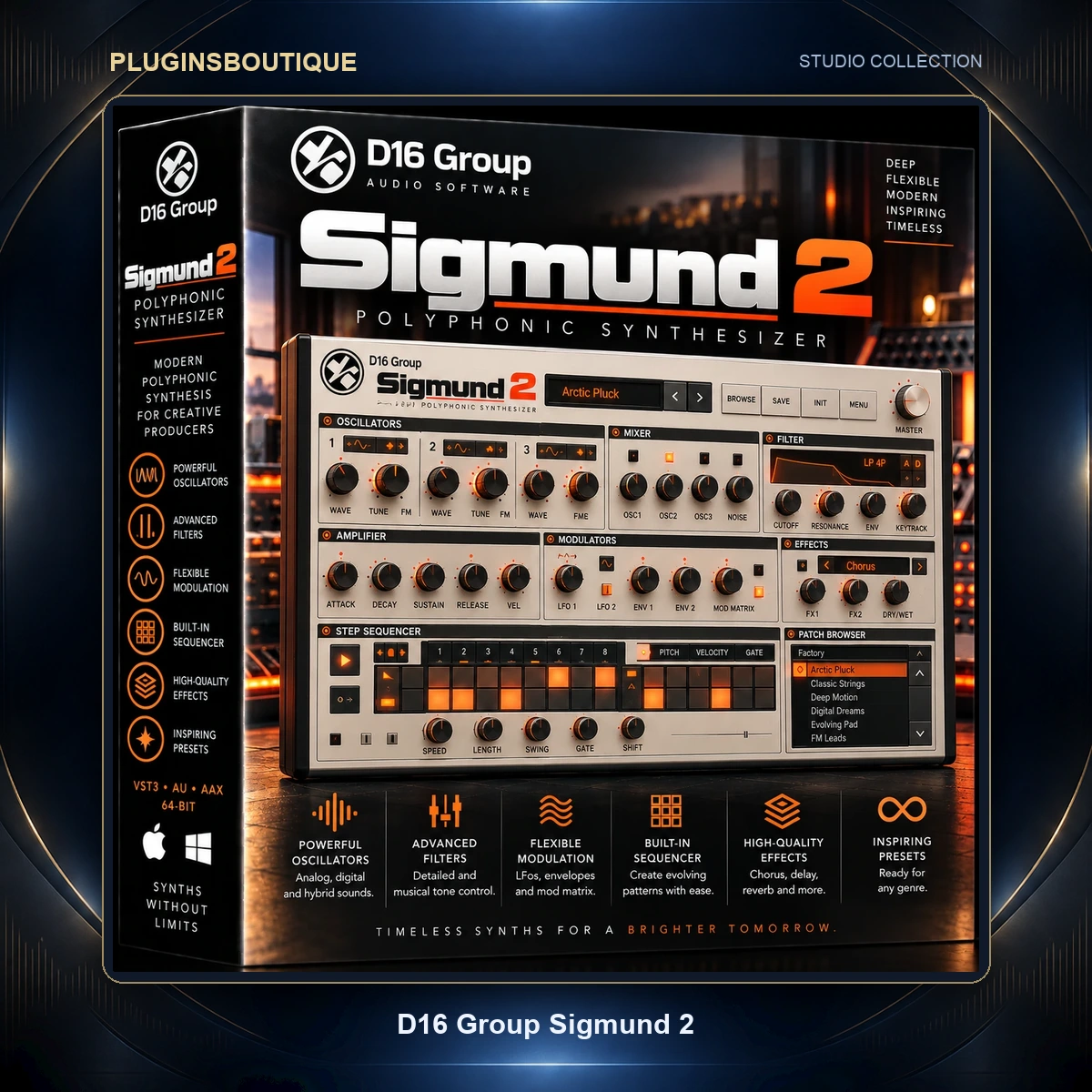


D16 Sigmund 2
Four Delays. One Serious Sound-Design Environment.
Most delay plugins are designed around a simple idea: send audio into a delay line, determine how long the echo takes to return and control how many times it repeats.
D16 Group Sigmund 2 takes that basic concept much further.
Sigmund 2 combines four independent delay processors inside a single plugin. Each delay line contains its own processing and modulation capabilities, and all four can be interconnected through nine different routing configurations.
The result is a processor capable of creating much more than echoes.
Sigmund 2 can become a chorus, flanger, phaser-like processor, tremolo, stereo spatializer, rhythmic delay, filtered echo, distorted feedback generator or experimental sound-design tool.
Four Independent Delay Lines
At the center of Sigmund 2 are four discrete delay units.
Each delay line provides an independent set of parameters and complementary processing modules.
This means one delay line can perform one function while another line behaves completely differently.
For example, you could use:
- One line for a short stereo slap
- Another for a longer rhythmic echo
- A third for filtered feedback
- A fourth for modulation or spatial processing
All four lines can then be combined to create a single complex effect.
Nine Routing Topologies
The four delay lines do not have to operate in one fixed configuration.
Sigmund 2 provides nine different routing topologies.
The lines can therefore be connected in different combinations, including parallel and serial-style configurations.
This has a major effect on the final result.
Parallel delay lines can produce layered echoes and stereo textures, while cascading lines can create increasingly complex sequences as audio passes through multiple processing stages.
Changing the routing can effectively transform the entire character of a preset.
High-Quality Delay Algorithm
D16 designed Sigmund 2’s delay algorithm to remain useful across an extremely broad range of delay times.
At longer settings it behaves as a conventional echo or rhythmic delay.
At extremely short settings it becomes a modulation and sound-design tool.
Delay times can reach approximately one-tenth of a millisecond, allowing very short processing without the artifacts that would make these settings unusable.
This is what enables Sigmund 2 to move naturally into chorus and flanger territory.
Create Chorus Effects
A chorus can be created by using very short delays and subtly modulating delay time.
Because Sigmund 2 provides precise short-delay control and extensive modulation, individual lines can create rich movement and width.
Multiple lines can then be layered to build significantly more complex chorus textures.
Create Flanging Effects
Push the delay times into another short-time range and increase modulation to generate flanging.
Feedback processing and filtering can further shape the effect.
The ability to combine several delay lines means the resulting flanger does not have to behave like a traditional single-purpose modulation plugin.
Four Multi-Purpose Modulators
Sigmund 2 includes four general-purpose modulators.
Each modulator can operate in one of three main modes:
- LFO
- Envelope
- Peak Follower
These modulators can automatically control several internal parameters, turning otherwise static delay settings into evolving effects.
LFO Modulation
The LFO provides continuous cyclical modulation.
Apply it subtly for gentle movement or push the settings much harder for extreme transformations.
LFO modulation can be used to influence parameters such as:
- Delay time
- Filter cutoff
- Delay-line volume
Depending on the destination and modulation amount, the same LFO system can contribute to chorus, flanging, filter sweeps, tremolo and stereo movement.
Envelope Modulation
Envelope modulation works particularly well when processing rhythmic or transient-rich material.
Combined with Sigmund 2’s transient-detection capabilities, envelope modulation can respond to the incoming signal and shape the resulting effect dynamically.
This is useful when you want processing to interact with the performance rather than simply run continuously.
Peak Follower
The Peak Follower responds to the amplitude characteristics of the incoming audio.
One particularly useful application is filter-cutoff modulation.
This can produce expressive auto-wah-style movement where the filter responds directly to the source signal.
It can also be used creatively for dynamic sound design.
Independent Modulator Retriggering
The modulation system can be synchronized more deliberately through retriggering.
When appropriate modulation types are selected, modulators can be independently retriggered by:
- MIDI notes
- Incoming signal transients
This gives producers greater control over when modulation cycles begin.
For rhythmic music, this can help modulation behave predictably relative to the performance.
Multimode Filtering
Each delay line includes a musical multimode filter.
Importantly, the filter can operate either inside or outside the feedback loop.
This distinction creates very different effects.
Filtering Outside the Feedback Loop
When filtering occurs outside the feedback loop, the filter can be used more like a conventional tonal control.
For example, unwanted high or low frequencies can be removed from the delayed signal.
This can help delays sit behind the dry source rather than competing with it.
Filtering Inside the Feedback Loop
Place filtering inside the feedback path and each repeat can progressively change in tone.
This can create the familiar impression of echoes becoming darker or otherwise evolving as they decay.
With modulation applied to cutoff, the same architecture can produce:
- Wah-style sweeps
- Vowel-like movement
- Phaser-style textures
- Animated resonances
Using several delay lines simultaneously dramatically increases the possibilities.
Built-In Overdrive
Each delay architecture also provides overdrive processing.
Overdrive can introduce harmonic coloration and more aggressive feedback textures.
Because Sigmund 2 provides four delay lines, overdrive can be used in sophisticated configurations.
Different frequency areas or delay paths can be processed differently, opening the door to complex distortion and dynamics-style effects.
Modulate Delay Time
Modulating delay time is one of Sigmund 2’s most powerful sound-design techniques.
At short settings it creates chorus and flanger behavior.
At longer settings, more dramatic modulation can create pitch-like movement, warped echoes and experimental effects.
The modulation amount can be controlled precisely to move from almost invisible animation to radical transformation.
Modulate Filter Cutoff
Assign modulation to filter cutoff and Sigmund 2 can behave like a dynamic filter processor.
LFO modulation can create regular sweeps.
Envelope or Peak Follower modes can create processing that reacts to the incoming performance.
This can generate:
- Auto-wah
- Rhythmic filter movement
- Resonant sweeps
- Vowel-like effects
- Experimental modulation
Modulate Volume
Modulating individual delay-line volume provides another set of possibilities.
At moderate settings it can add movement.
At stronger settings it can generate tremolo or rhythmic gating-style behavior.
Different delay lines can also move independently, producing complex animated textures.
Stereo Spatial Processing
Sigmund 2 includes extensive stereo options.
Delay processing can operate using different stereo configurations including:
- Left/Right processing
- Mid/Side processing
Phase relationships between channels can also be manipulated.
This means Sigmund 2 can function as a spatial processor as well as a delay.
Use it to create width, movement and depth around instruments, vocals and effects.
Internal Delay-Line Mixer
Once the four delay lines have generated their individual signals, they need to be combined.
Sigmund 2 includes a dedicated internal mixer for this purpose.
The mixer provides an efficient way to balance the contribution of each line and shape the final processed signal.
Use Sigmund 2 as an Insert
Sigmund 2 can operate directly as an insert effect.
This is useful when you want the plugin to become an integral part of an instrument or track’s sound.
Potential insert applications include:
- Synth sound design
- Guitar processing
- Vocal effects
- Drum transformations
- Experimental loops
- Ambient textures
Use Sigmund 2 as a Send Effect
It can also operate effectively on an auxiliary send.
D16 includes parameter-locking functionality that helps with this workflow.
Important parameters can remain locked while browsing presets, preventing unwanted changes to settings you want to preserve.
Parameter Locking
Preset browsing can be frustrating when changing presets also changes parameters that need to remain fixed.
Sigmund 2’s parameter-locking system addresses this.
Individual parameters can be protected while different presets are auditioned.
This is particularly convenient when using Sigmund 2 as a send effect and wanting to preserve an important wet/dry-related setting.
More Than 400 Factory Presets
Sigmund 2 includes more than 400 factory presets.
The preset browser provides quick access to this library, giving producers immediate starting points for both conventional and experimental processing.
Presets are also useful for understanding the architecture.
Load an interesting effect and examine how its delay routing, filters, modulation and overdrive interact.
Sigmund 2 for Vocals
Vocals can benefit from everything from subtle stereo enhancement to dramatic creative delay.
Try Sigmund 2 for:
- Vocal throws
- Filtered echoes
- Stereo widening
- Modulated delays
- Rhythmic vocal effects
- Distorted feedback
- Ambient vocal textures
Sigmund 2 for Synthesizers
Synthesizers are particularly well suited to Sigmund 2’s deeper sound-design capabilities.
Short delay times can add chorus or flanging, while longer delay lines can build rhythmic sequences and evolving atmospheric effects.
Modulated filtering can make relatively static synth patches significantly more animated.
Sigmund 2 for Guitars
For guitars, Sigmund 2 can cover several categories of processing from one plugin.
Use it for:
- Slapback delay
- Stereo echo
- Chorus
- Flanging
- Filtered delay
- Ambient textures
- Experimental feedback
Sigmund 2 for Drums
Rhythmic material can produce especially interesting results because the modulators can interact with transients.
Filtered rhythmic delays can extend percussion patterns, while more extreme configurations can completely transform drum loops.
Experimental Sound Design
Sigmund 2 becomes particularly interesting when the four delay lines, routing, modulation, filtering and overdrive are combined.
It is possible to create processing that no longer sounds like a traditional delay.
That makes Sigmund 2 useful for:
- Cinematic effects
- Glitch processing
- Ambient textures
- Experimental electronic music
- Transition effects
- Evolving soundscapes
- Unusual stereo movement
- Complex feedback networks
Current Version
The current D16 installer listing identifies Sigmund 2 version 2.0.1.
Windows Compatibility
Current D16 requirements list:
- Windows 7 or newer
- Intel x86 / AMD x86 CPU
- 64-bit host application
- VST2
- VST3
- AAX
- 44.1 kHz or higher sample rate
Unlike several other D16 plugins that retain 32-bit Windows versions, the current Sigmund 2 requirements specify a 64-bit host only.
macOS Compatibility
Current D16 requirements list:
- Mac OS X 10.13 through macOS 26
- Intel x86
- Apple Silicon
- 64-bit host application
- VST2
- VST3
- Audio Unit
- AAX
- 44.1 kHz or higher sample rate
This makes Sigmund 2 compatible with both Intel-based and modern Apple Silicon Mac production systems within D16’s supported OS range.
Technical Specifications
| Specification | Details |
|---|---|
| Product | D16 Group Sigmund 2 |
| Category | Multi-Tap Delay / Modulation Effect |
| Current Version | 2.0.1 |
| Independent Delay Lines | 4 |
| Routing Topologies | 9 |
| Multi-Purpose Modulators | 4 |
| Modulator Modes | LFO / Envelope / Peak Follower |
| Minimum Delay Time | Down to 0.1 ms |
| Multimode Filters | Yes |
| Filter in Feedback Loop | Yes |
| Overdrive | Yes |
| MIDI Retriggering | Yes |
| Transient Retriggering | Yes |
| Stereo Processing | Yes |
| L/R Processing | Yes |
| M/S Processing | Yes |
| Internal Mixer | Yes |
| Parameter Locking | Yes |
| Factory Presets | 400+ |
| Windows | Windows 7+ |
| Windows Architecture | 64-bit host only |
| macOS | 10.13–26 |
| Intel Mac | Yes |
| Apple Silicon | Yes |
| VST2 | Yes |
| VST3 | Yes |
| AU | macOS |
| AAX | Yes |
| Minimum Sample Rate | 44.1 kHz |
| Standalone | No |
Who Is Sigmund 2 For?
D16 Sigmund 2 is particularly useful for:
- Electronic music producers
- Mixing engineers
- Sound designers
- Vocal producers
- Guitarists
- Synth programmers
- Ambient producers
- Techno producers
- EDM producers
- Film and game composers
- Experimental musicians
- Anyone who wants more than a conventional delay plugin
Frequently Asked Questions
What is D16 Sigmund 2?
Sigmund 2 is an advanced multi-purpose delay and modulation effect built around four independent delay lines.
How many delay lines does Sigmund 2 have?
Sigmund 2 contains four independent delay units.
How many routing configurations are available?
The four delay lines can be interconnected using nine different routing topologies.
Can Sigmund 2 create chorus and flanger effects?
Yes. Its high-quality delay algorithm supports extremely short delay times, allowing Sigmund 2 to produce chorus and flanging effects in addition to traditional echoes.
How short can the delay time be?
D16 states that the delay algorithm can operate down to approximately one-tenth of a millisecond.
How many modulators are included?
Sigmund 2 contains four multi-purpose modulators.
What modulation modes are available?
Each modulator can operate as an LFO, Envelope or Peak Follower.
Does Sigmund 2 have filters?
Yes. Each delay architecture includes multimode filtering that can operate inside or outside the feedback loop.
Does Sigmund 2 include overdrive?
Yes. Overdrive is integrated into its sound-shaping architecture.
How many presets are included?
D16 provides more than 400 factory presets.
Does Sigmund 2 support Apple Silicon?
Yes. Current D16 requirements list native Apple Silicon support alongside Intel Mac.
Does Sigmund 2 support macOS 26?
Yes. D16 currently lists compatibility from Mac OS X 10.13 through macOS 26.
Is Sigmund 2 available as VST3?
Yes. VST3 is supported on both Windows and macOS.
Does Sigmund 2 support Audio Units?
Yes. AU is available on macOS.
Is Sigmund 2 standalone?
No. D16 specifies that a compatible host application is required.
Conclusion
D16 Group Sigmund 2 takes the concept of a delay plugin far beyond simple echoes.
Its four independent delay lines, nine routing topologies, four multi-purpose modulators, multimode filters, overdrive and flexible stereo processing create an environment capable of functioning as a delay, chorus, flanger, filter effect, tremolo, spatial processor and experimental sound-design tool.
Extremely short delay times down to approximately 0.1 ms extend the architecture into modulation territory, while more than 400 factory presets make its deeper capabilities immediately accessible.
For producers who want one delay processor capable of moving from straightforward mixing duties to complex experimental processing, Sigmund 2 provides an unusually flexible creative toolkit.












Reviews
Clear filtersThere are no reviews yet.