Try our service free
→ Discover complimentary downloads without needing a payment method.
Browse free





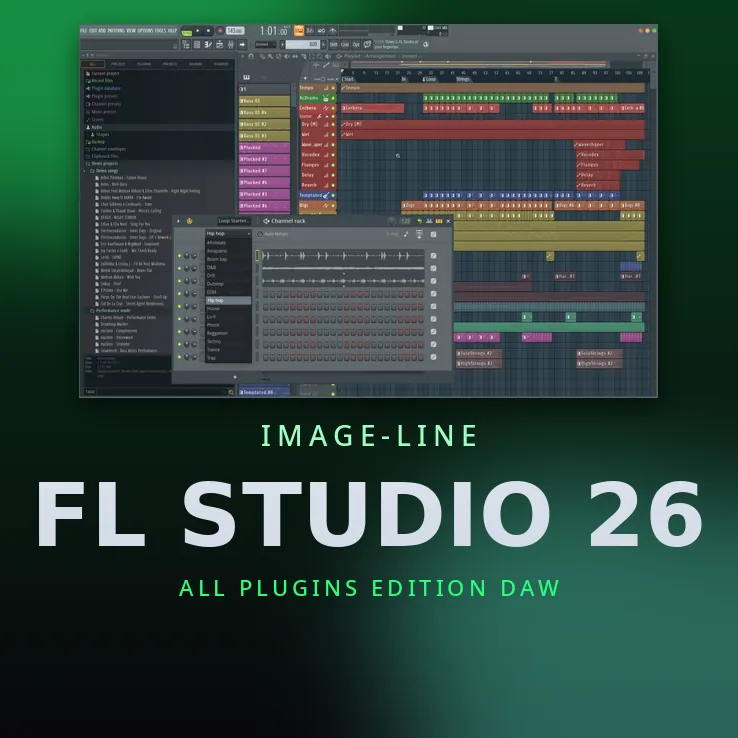


FL Studio 26 All Plugins Edition for Mac & Windows
FL Studio 26 All Plugins Edition is the complete FL Studio experience for producers who want access to the platform’s full collection of instruments, effects, and production tools.
Developed by Image-Line, FL Studio combines beatmaking, sequencing, audio recording, arrangement, mixing, sound design, and mastering in a single production environment. The current official FL Studio site describes the All Plugins Edition as unlocking all instruments, effects, and tools, with 117 plugins listed in the current edition comparison.
Complete FL Studio Plugin Collection
The biggest advantage of the All Plugins Edition is the breadth of its included software.
Image-Line’s current comparison lists instruments such as Harmor, Kepler Exo, Morphine, Ogun, Poizone, Sakura, Sawer, and Toxic Biohazard, alongside other instruments and effects.
The edition also includes exclusive effects and production tools such as Gross Beat, Pitcher, Vintage Chorus, Vintage Phaser, Frequency Shifter, Hyper Chorus, and other processors.
FL Studio for Music Production
FL Studio is built around a flexible workflow that allows producers to start with a beat, melody, sample, or recorded performance and develop it into a complete arrangement.
The software includes tools for:
- Beat production
- MIDI sequencing
- Audio recording
- Arrangement
- Mixing
- Mastering
- Automation
- Sound design
- Vocal production
- Electronic music production
- Sample-based production
- Video synchronization
Image-Line describes FL Studio as a complete music creation environment with 100+ instruments, effects, tools and sounds across the platform.
Powerful Synthesizers
The All Plugins Edition is particularly attractive to sound designers because it includes a wide range of synthesis approaches.
Harmor provides additive synthesis and resynthesis capabilities, while Morphine focuses on additive synthesis and spectral shaping. Ogun is designed around complex metallic timbres, while Sakura uses physical modeling for plucked and string-oriented sounds.
This variety makes the complete edition useful for producers who don’t want to rely on a single synthesis method.
Effects and Creative Processing
FL Studio’s effects collection covers everyday mixing requirements as well as creative processing.
The current All Plugins Edition comparison includes processors for pitch correction, modulation, distortion-style effects, time manipulation, frequency processing, chorus, phasing, and other applications.
Gross Beat, for example, is designed for time and volume manipulation, while Pitcher provides real-time pitch correction and harmonization.
FL Studio on Mac
FL Studio is available for macOS and supports both Intel and Apple Silicon processors. The official requirements currently list macOS 10.15 Catalina or newer, with at least 4 GB RAM and 4 GB of free disk space.
The current download information also identifies native compatibility with Apple Silicon Macs.
FL Studio on Windows
Windows users can run FL Studio on Windows 10 or Windows 11. Image-Line currently lists a minimum of 4 GB RAM and 4 GB free disk space, with performance depending heavily on the processor and the complexity of the project.
For larger projects containing many instruments and effects, a modern multi-core processor, additional RAM, and an SSD can provide a smoother production experience.
Lifetime Free Updates
One of FL Studio’s major advantages is Image-Line’s Lifetime Free Updates policy.
According to Image-Line, purchasing FL Studio provides future updates to the purchased edition without additional upgrade charges.
That makes the All Plugins Edition particularly attractive to producers who want a long-term music-production platform rather than repeatedly purchasing major-version upgrades.
Who Should Choose All Plugins Edition?
The All Plugins Edition is best suited to producers who want the complete FL Studio ecosystem.
It can be particularly useful for:
- Professional music producers
- Beatmakers
- Electronic music producers
- Sound designers
- Mixing engineers
- Recording artists
- Film and game composers
- Producers who want extensive built-in instruments
- Users who want access to the complete FL Studio plugin collection
For someone who only needs basic beatmaking and recording, a lower edition may be enough. But producers who want the complete collection of instruments and effects will get the most from All Plugins Edition.
Final Verdict
FL Studio 26 All Plugins Edition is the most complete FL Studio package, combining the DAW’s production workflow with its full collection of instruments, effects, and creative tools.
Its biggest strengths are the extensive plugin collection, flexible production environment, Mac and Windows compatibility, Apple Silicon support, and Lifetime Free Updates.
For producers who want everything FL Studio offers in one edition, All Plugins Edition is the flagship choice.
4. KEY FEATURES
- FL Studio All Plugins Edition
- Current FL Studio 2026 generation
- Mac and Windows support
- 117 plugins listed in the current edition comparison
- 39 instruments listed for All Plugins Edition
- 71 effects listed for All Plugins Edition
- Harmor
- Kepler Exo
- Morphine
- Ogun
- Poizone
- Sakura
- Sawer
- Toxic Biohazard
- Gross Beat
- Pitcher
- Vintage Chorus
- Vintage Phaser
- Frequency Shifter
- Hyper Chorus
- Stem Separation
- Automation
- Audio recording
- MIDI sequencing
- Mixing and mastering
- Apple Silicon support
- Lifetime Free Updates
5. SYSTEM REQUIREMENTS
macOS
- macOS 10.15 Catalina or newer
- Intel or Apple Silicon CPU
- 4 GB RAM minimum
- 4 GB free disk space minimum
- Case-sensitive file systems are not supported
Windows
- Windows 10 or Windows 11
- Intel or AMD CPU
- 4 GB RAM minimum
- 4 GB free disk space minimum
For larger projects, Image-Line recommends more capable hardware; its download guidance suggests a quad-core CPU, 8–16 GB RAM and an SSD for a smoother experience.
6. PRODUCT FAQ
Is FL Studio 26 available for Mac?
Yes. FL Studio is available for macOS and supports both Intel and Apple Silicon Macs.
Does FL Studio 26 work on Windows?
Yes. The current requirements support Windows 10 and Windows 11.
What is included in All Plugins Edition?
The All Plugins Edition unlocks all FL Studio instruments, effects and tools. Image-Line currently lists 117 plugins in its edition comparison.
Does FL Studio support Apple Silicon?
Yes. The Mac version supports Apple Silicon natively.
Does FL Studio include Harmor?
Yes. Harmor is listed as an All Plugins Edition instrument.
Does FL Studio include Gross Beat?
Yes. Gross Beat is included with Signature Bundle and higher editions, including All Plugins Edition.
Does FL Studio receive free updates?
Image-Line provides Lifetime Free Updates for purchased editions.
How much RAM does FL Studio require?
The official minimum is 4 GB RAM on both macOS and Windows. Larger projects can benefit from substantially more RAM.






Alexander Walker –
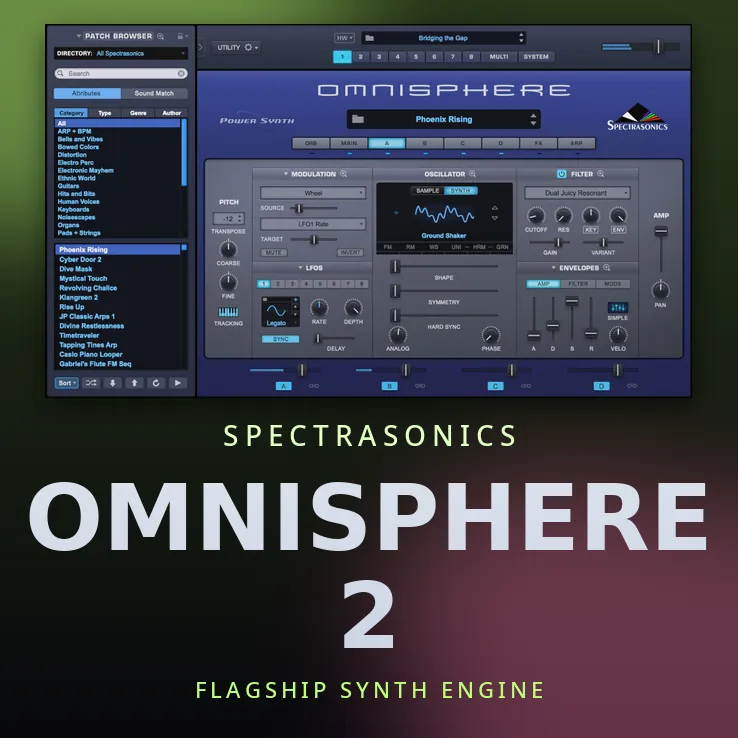
Buy Spectrasonics Omnisphere 2 – The Best Synth Plugin for Music Producers delivers amazing performance and great value.
Daniel Edwards –
I’ve been using Buy Spectrasonics Omnisphere 2 – The Best Synth Plugin for Music Producers for a few weeks and it works perfectly.
Sophia Green –
I’ve been using Buy Spectrasonics Omnisphere 2 – The Best Synth Plugin for Music Producers for a few weeks and it works perfectly.