Try our service free
→ Discover complimentary downloads without needing a payment method.
Browse free




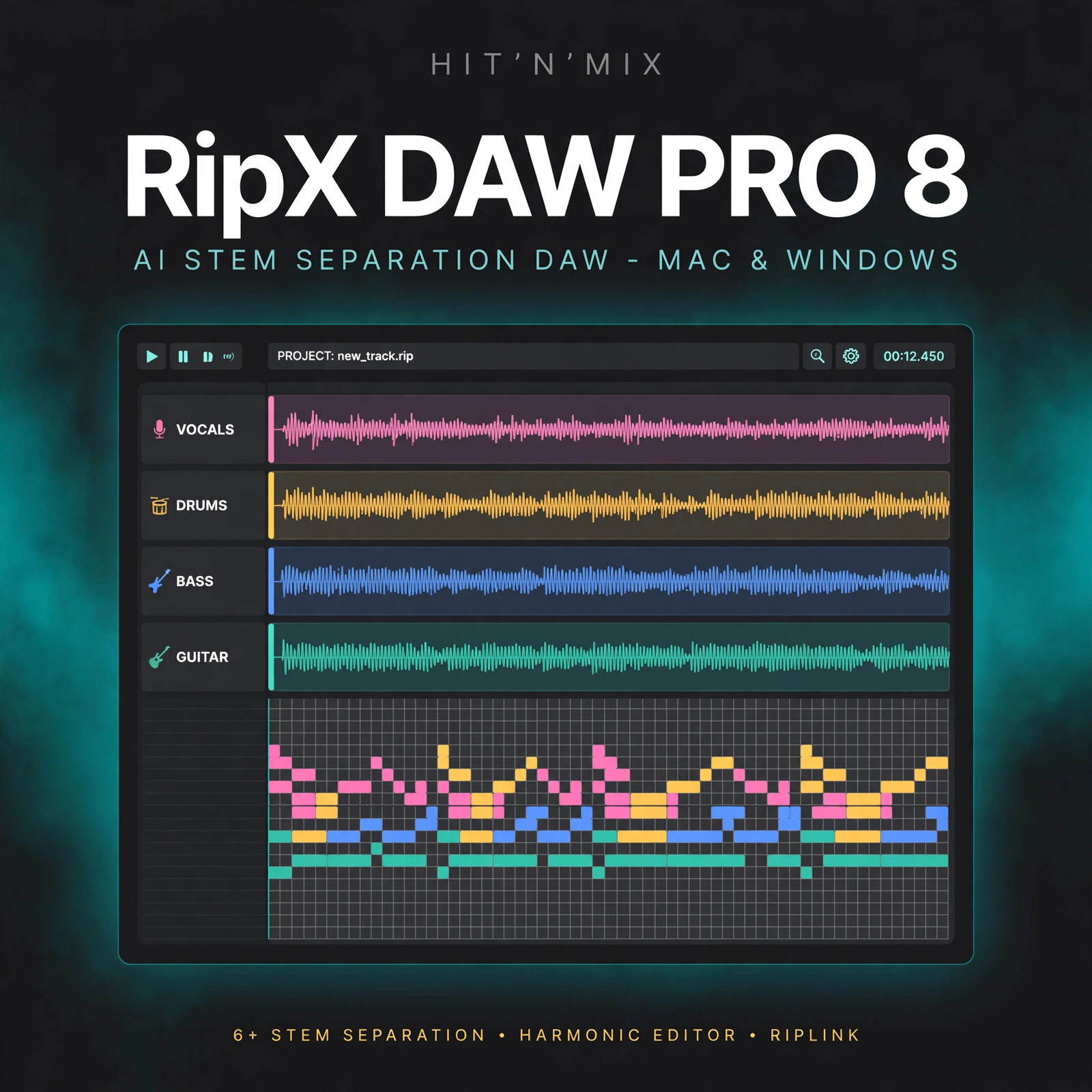


Hit’n’Mix RipX DAW PRO 8 is the AI-powered DAW that treats audio and MIDI as one. Instead of editing a flat waveform, RipX DAW PRO 8 converts your audio into the Rip format, where every note, chord, stem and sound inside a mixed recording becomes individually editable. Separate a finished song into stems, change one note inside a chord, remove a cough from a vocal take, or rebuild a mix from its component parts — all inside one application, on Mac and Windows.
RipX DAW PRO 8 is the full professional edition. It includes everything in RipX DAW — the award-winning 6+ stem AI separation, note-level editing and unified audio/MIDI workflow — and adds the professional toolset: Audioshop sound manipulation, the Harmonic Editor, precision clean-up and repair, unpitched audio editing, RipScripts programmability and RipLink integration with major DAWs. Version 8 adds Track Starters, RipLoops, one-click looping, chord progression tools, 11 new effects and a refreshed interface.
AI stem separation that opens up any mix
At the heart of RipX DAW PRO 8 is DeepRemix separation: award-winning AI that splits a mixed audio file into six or more separate stems and layers. Pull an acapella from a finished master, lift the drums out of a loop, isolate the bass line, or separate vocals from instruments for a remix. Because the separation goes down to the harmonic level, the results stay clean where spectrum-based editors smear frequencies together — especially useful where sounds overlap, such as a vocal sitting over guitars in the same range.
Once separated, every stem remains fully editable. Adjust the level or panning of a single note that was hit inconsistently, bring up only the bass notes in a performance, or remove an unintended sound — a knock, a breath, bleed from another part — without touching the rest of the mix. For DJs and remixers, messy acapellas and noisy samples can be cleaned to a standard that makes them usable; for post professionals, dialogue can be lifted out of noisy footage with far fewer artifacts than conventional tools allow.
Edit notes, chords and harmonics — not waveforms
RipX DAW PRO 8 replaces waveform editing with note-based editing. Audio and MIDI live in the same editable format, so a recorded performance behaves like a MIDI part: move notes, change their pitch, stretch their timing, copy phrases, and build chords from real notes taken from the same or other performances. Pitch To Scale gives natural-sounding automatic pitch correction to the nearest semitone or any selected scale, and chord progression tools help shape harmony across a whole track.
The Harmonic Editor goes deeper still. It does not show a spectrum approximation — it shows the actual harmonics that describe each note, and lets you control them directly. Remove noise from a single harmonic, reshape a note’s timbre, or invent entirely new sounds from fragments of others. The Clone tool transfers pitch variation, timbre and panning from one note to another, so a real instrumentalist’s vibrato and feel can be duplicated across a performance. This is the level of control that makes RipX DAW PRO 8 an instrument for sonic innovation, not just a repair tool.
Audioshop, clean-up and repair in RipX DAW PRO 8
The Audioshop toolset is the professional editing bench inside RipX DAW PRO 8. Draw Sound lets you draw notes, drums and samples directly onto a Rip, sampled from another track or the built-in library. Split cuts notes into sections, Join pieces them back together, Draw Pitch makes fine pitch adjustments and slides by dragging, Apply Pattern adds fluctuations in pitch, formant, volume and panning, and Smooth Region blends those attributes across notes. The Edit Unpitched tool displays all unpitched sound across the whole Rip so noise can be selected and edited separately from pitched material.
Clean & Repair adds live audio repair: remove background noise, limit foreground artifacts, reduce tones and hum, and purify pitched and unpitched sounds. Overtone levels can be adjusted note by note, and fundamental harmonics regenerated to bring back bass presence lost in mixing and mastering. The De-Esser tames harsh sibilance, and crackly vinyl can be digitised and cleaned. For Foley and sound design, the Sound panel offers replacement sounds, and RipScripts — a Python scripting language built into the DAW — lets advanced users automate edits and build entirely new tools.
Version 8: Track Starters, RipLoops and 11 new effects
Version 8 is built around staying in the creative flow. Track Starters are autogenerated, fully editable dynamic musical templates that automatically adapt to your scale and chord progression — a starting point that helps turn an idea into a full, original track. RipLoops add generated dynamic loops and transitions, and any note selection can now be looped with one click. Chord progression tools, context-based pop-up toolbars and double-tap automation anchors keep the focus on decisions rather than menus.
Eleven new effects deepen sound design: RipTone, RipTrip and RipVibe for creative colour, Pitch To Chord, Transient Shaper and Auto-Pan for control, Hall Reverb, Tape Echo and Shimmer for space, and Bitcrush and Granular for digital destruction. New sounds and loops are included, the interface has been refreshed with a cleaner toolbar layout, and RipX DAW PRO 8 works with RipX for iPhone, including REACT FX & Sounds that respond to how the device is tilted.
System requirements for RipX DAW PRO 8 on Mac and Windows
RipX DAW PRO 8 runs on macOS 10.15 or later (2012 and later models, including Apple Silicon M1 onwards) and on 64-bit Windows 10/11. Minimum requirements are a 2-core 2.5GHz CPU, 8 GB of RAM and 20 GB of free disk space. Recommended: a 4+ core CPU or Apple Silicon M1, 16 GB or more of RAM and 20 GB of free disk space. On Windows, ripping is much faster with a supported NVIDIA GeForce GPU (1070 through 50XX series) and 16 GB of RAM. RipX DAW PRO 8 is a standalone application that can host VST and VST3 plug-ins. RipLink connects it to Pro Tools, Studio One, Cubase/Nuendo, Reaper and Cakewalk, and it can be set up as the external sample editor in Logic Pro, Ableton Live, FL Studio and other DAWs. An internet connection is required to activate the licence first time and at least once every 15 runs, and the licence may be installed on up to two computers belonging to the registered owner.
Frequently asked questions about RipX DAW PRO 8
Does RipX DAW PRO 8 work on Mac and Windows? Yes. This listing covers both Mac and Windows, with the same full PRO feature set on each platform.
Is RipX DAW PRO 8 a plug-in or a standalone DAW? It is a standalone DAW application that can host VST and VST3 plug-ins, and it connects to other DAWs through the RipLink plug-in or as an external sample editor.
How many stems can it separate? RipX DAW PRO 8 uses award-winning AI separation into six or more stems and layers, editable down to individual notes and harmonics.
What does the PRO edition add? Audioshop tools, the Harmonic Editor, clean-up and repair, unpitched audio editing, RipScripts, RipLink and advanced stem and AI clean-up — everything in RipX DAW plus the professional toolset.
Can I try it before buying? Hit’n’Mix offers a 21-day free trial of RipX DAW PRO from its own website. This listing is the full paid licence.





Reviews
Clear filtersThere are no reviews yet.