Baby Audio SubCulture
Baby Audio SubCulture – Pitch-Tracking Bass Enhancer Plugin for Mac & Windows Original price was: €99.00.Current price is: €39.99.
Back to products
Baby Audio Grainferno
Baby Audio Grainferno – Granular Synthesizer Plugin for Mac & Windows Original price was: €129.00.Current price is: €49.99.

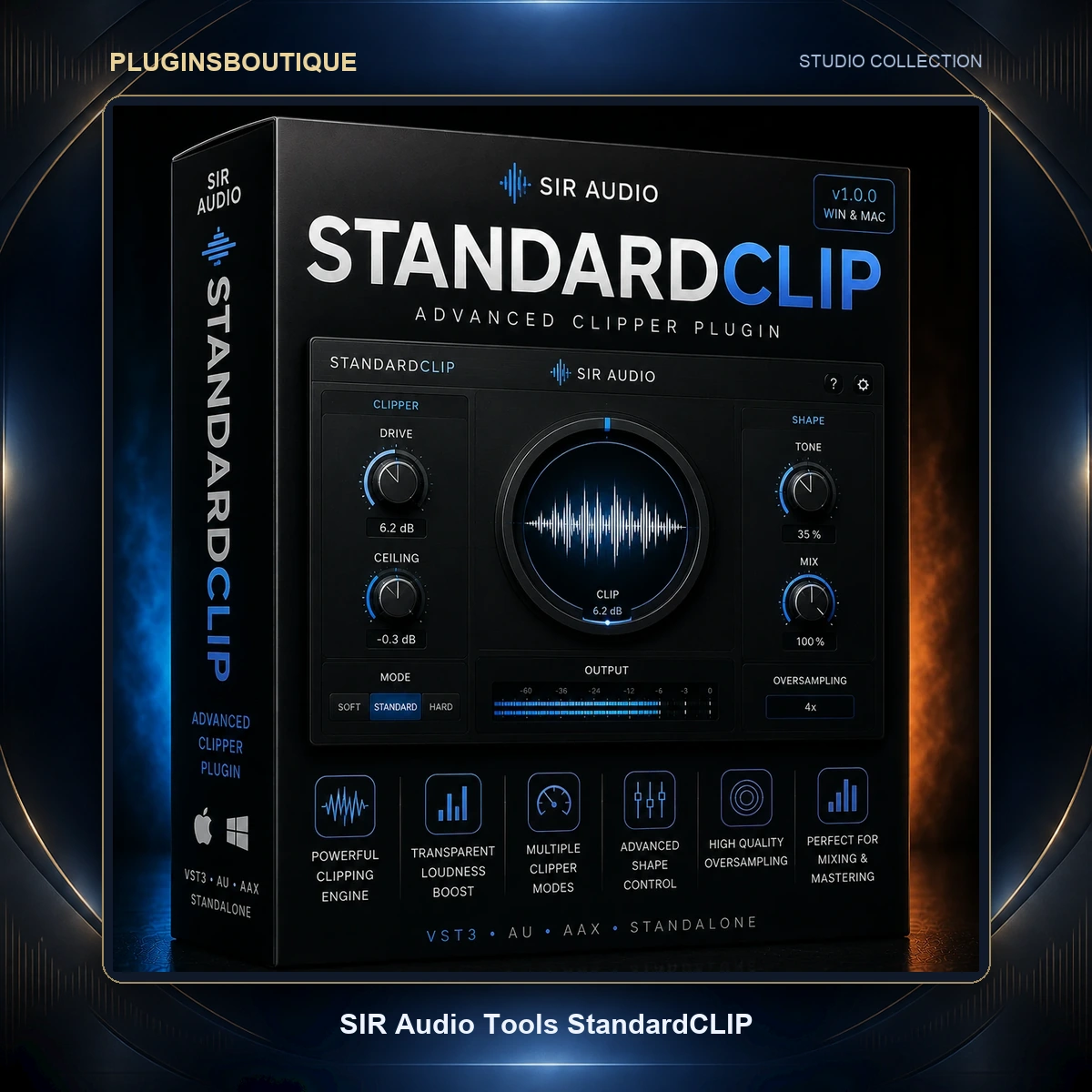
SIR Audio Tools StandardCLIP – Advanced Clipper Plugin for Mac & Windows

SKU: SIRATSTANDARDCLIP-2026

SIR Audio Tools StandardCLIP is an advanced professional clipper plugin for Mac and Windows featuring up to 256x oversampling with linear and minimum phase modes, three distinct clipping modes (Soft Clip Classic, Soft Clip Pro, Hard Clip), seamlessly adjustable soft saturation, Input Gain, Clip Level, Output Gain with Auto-Assistant, and a Ceiling control for final chain use. Includes real-time function plot, waveform display, input/output peak and RMS metering, and Gain Difference Meter. Available in VST, VST3, AU, and AAX formats with Apple Silicon native support. No dongle required.

Pluginsboutique Offer

Hurry and get discounts on all VST Plugins up to 90%

Original price was: €25.00.Current price is: €20.00.

19 People watching this product now!
  • Download instantly from PluginsBoutique

To pick up todayAccess your plugins immediately

  • Instant Digital Delivery

Your download link will be sent instantly to your email.

  • Free 2-Day returns if not work

Payment Methods:

Description

SIR Audio Tools StandardCLIP – Advanced Clipper Plugin for Mac & Windows


Introduction

SIR Audio Tools StandardCLIP is one of the most respected and enduring clipper plugins in the professional audio industry — a precision dynamics tool that has earned the title of “The Legend” not through marketing, but through years of sustained daily use at the highest levels of mixing and mastering. Developed by Christian Knufinke of SIR Audio Tools, StandardCLIP has quietly become the go-to clipper for engineers and producers working with some of the biggest artists in music, including verified use as a secret weapon on major-release recordings documented on platforms like Mix With The Masters.

What makes SIR Audio Tools StandardCLIP exceptional is not complexity or feature excess — it is the extraordinary precision with which it executes one of the most technically demanding tasks in audio production: clipping a signal cleanly, musically, and without destructive aliasing artifacts. Its oversampling engine — capable of up to 256x oversampling with full control over filter type, cutoff, kernel size, and filter order — gives it a technical depth that most clippers at any price point cannot approach. Combined with three distinct clipping modes, seamlessly adjustable soft saturation, comprehensive metering, and a detailed function plot for visual feedback, StandardCLIP is the clipper that professionals return to because nothing else does the job with quite the same accuracy and transparency.

Available for Mac and Windows in VST, VST3, AU, and AAX formats — with Apple Silicon native support — SIR Audio Tools StandardCLIP is available for just $25, making it one of the most remarkable values in professional audio software.


Overview of SIR Audio Tools StandardCLIP

The fundamental purpose of SIR Audio Tools StandardCLIP is to give engineers complete control over the clipping process — the controlled distortion of audio peaks beyond a defined threshold — in a way that serves two distinct professional workflows.

The first is as a dynamic loudness tool in the master effects chain. By driving peaks into the clipper and controlling their ceiling, engineers can achieve significantly higher perceived loudness while preserving musical transient character far more naturally than a standard limiter. Where a limiter reduces gain dynamically in response to transients, StandardCLIP shapes those transients through the clipping curve, resulting in a subjectively harder-hitting, more energetic final sound that translates cleanly across streaming platforms and playback systems.

The second is as a harmonic generator. Because clipping is a non-linear process, it inherently adds odd harmonics to the signal. By controlling the degree and character of soft saturation through the clip modes and the Soft Clip Saturator control, StandardCLIP can be used to add progressive harmonic enrichment and analog-style character to any signal without crossing into harsh distortion.

The technical backbone of both workflows is the oversampling engine. Without oversampling, the odd harmonics introduced by clipping extend beyond the Nyquist frequency and fold back into the audible spectrum as aliasing — unwanted, dissonant artifacts that undermine the transparency of the process. StandardCLIP‘s oversampling engine upsamples the signal to a higher rate before clipping, removes content above the original Nyquist frequency, and downsamples back to the source rate — delivering clipping results that are free of aliasing artifacts at selectable quality levels from minimal CPU use through extreme precision at 256x.


Features

SIR Audio Tools StandardCLIP delivers a comprehensive precision feature set built around its advanced clipping and oversampling architecture:

  • Three Distinct Clipping Modes – Soft Clip Classic, Soft Clip Pro, and Hard Clip cover the full spectrum of clipping application from transparent peak trimming to progressive harmonic saturation
  • Soft Clip Classic – Default algorithm; changes the signal curve continuously across the entire dynamic range for smooth, musical soft saturation
  • Soft Clip Pro – Threshold-based saturation that preserves the dynamic integrity of the signal below a configurable onset point and compresses a selectable dynamic range by half above it (25% / 50% / 75% / 100% depth settings)
  • Hard Clip – Cuts audio precisely at the clipping level with no soft saturation; ideal for clean peak trimming before a limiter
  • Soft Clip Saturator – Seamlessly adjustable control blending between hard-clipping and fully soft-saturated clipping for precise tonal dialing within each mode
  • Input Gain – Pre-clipping amplification stage that drives the signal into the clipping threshold
  • Clip Level – Independent adjustable clipping threshold; set the exact level at which clipping begins
  • Output Gain – Post-clipping amplification with Output Gain Assistant for automatic safe headroom setting
  • Output Gain Assistant – Analyzes the loudest section of your project and automatically sets the output gain to the highest safe value below the ceiling
  • Ceiling Control – Optional true peak ceiling for use as the final plugin in a mastering chain, preventing any output sample from exceeding a defined threshold
  • Up to 256x Oversampling – Industry-leading oversampling depth for maximum aliasing reduction at extreme clipping depths
  • Linear Phase Oversampling Mode – Adds latency but preserves phase relationships — the preferred mode for mastering and mixing applications
  • Minimum Phase Oversampling Mode – Zero latency processing for live performance and latency-critical routing
  • Configurable Filter Cutoff – Control the cutoff frequency of the oversampling filter for precision trade-offs between aliasing reduction and filter artifact
  • Configurable Filter Kernel Size – Adjust filter steepness and latency trade-off in linear phase mode
  • Configurable Filter Order – Adjust filter steepness and phase characteristic in minimum phase mode
  • Offline Oversampling Factor – Set a higher oversampling factor exclusively for offline bouncing/export in supported DAWs (Pro Tools, Logic Pro, Cubase, Ableton)
  • Function Plot Display – Real-time logarithmic and linear visualization of the clipping curve with a live red peak indicator showing current signal position on the curve
  • Waveform Display – Live preview of input and output waveform with pre-reduction level shown in red and output level in white; switchable between full and half waveform view, slow and fast scrolling
  • Input/Output Meters – Peak, peak-hold, and RMS meters for comprehensive level monitoring at both stages
  • Gain Difference Meter – Shows RMS or peak difference between input and output of the oversampled clipping process for accurate gain reduction monitoring
  • Max Peak and Max RMS Display – All-time maximum peak and RMS values with mouse-click reset
  • Active Channels Control – Manually set the active channel count for compatibility with older host software
  • Silence Bypass – Automatic CPU-saving bypass when input falls below -190 dB (configurable)
  • GUI Zoom – Scale the entire plugin interface to preferred size
  • No Dongle Required – License-key activation with no hardware protection required
  • Multi-Device Use – Install on multiple devices owned by the same license holder
  • Apple Silicon Native – Runs natively on M1/M2/M3/M4 without Rosetta 2
  • 32-bit and 64-bit Windows Support – Legacy compatibility maintained alongside modern 64-bit operation
  • Free Demo Available – Full demo versions downloadable directly from siraudiotools.com

What’s Included

When you purchase SIR Audio Tools StandardCLIP, you receive:

  • StandardCLIP Plugin – Full version with all clipping modes, oversampling settings, and display options unlocked
  • VST, VST3, AU, and AAX Installers – Dedicated Mac and Windows installers for all major formats
  • License Key – Delivered by email; no hardware dongle required
  • Full Manual – Comprehensive documentation covering every parameter, oversampling option, and display in detail
  • Free Updates – All version updates including performance optimizations and new features at no charge
  • Multi-Device License – Install on all personally owned devices under a single license

Bundle Options

SIR Audio Tools offers significant savings through bundle packages:

  • StandardCLIP – $25 / €25
  • StandardCLIP + StandardGATE + SpectrumAnalyzer Full Bundle – $50 / €50 (save on three professional tools)
  • StandardCLIP + SIR3 Reverb Bundle – $99 / €99 (DEAL — includes StandardCLIP and the acclaimed SIR3 convolution reverb)
  • 25% Discount Coupon – Available free by signing up for the SIR Audio Tools email newsletter

Main Highlights

What makes SIR Audio Tools StandardCLIP genuinely exceptional among clipper plugins at any price:

  • 256x Oversampling — A Technical Standard No Competitor Matches — Oversampling is the single most important technical specification in a clipper plugin, because without it, every clipping event produces aliasing artifacts that degrade the audio quality. Most clippers offer 4x, 8x, or 16x oversampling as a maximum. StandardCLIP offers up to 256x — with complete control over filter type, cutoff, kernel size, and order. This is not a feature that most users need at maximum daily — but it demonstrates the level of technical commitment that explains why StandardCLIP has remained the reference clipper for precision mastering engineers for years.
  • Three Clipping Modes for Every Application — The distinction between Soft Clip Classic, Soft Clip Pro, and Hard Clip is not superficial. Soft Clip Classic applies smooth, continuous saturation across the entire dynamic range — the most musical and least harsh approach. Soft Clip Pro introduces a definable onset threshold below which the signal remains completely unaffected, making it a semi-parallel saturation tool that allows deep low-end and transient attack to pass through while only the peaks receive shaping. Hard Clip trims peaks surgically with zero saturation — the technically cleanest approach for pre-limiter peak management. Having all three modes in one plugin means StandardCLIP serves every position in a signal chain and every stylistic requirement.
  • Function Plot: Visual Clipping Intelligence — The logarithmic and linear function plot with live peak position indicator is one of the most practically informative displays in any dynamics plugin. Rather than watching a gain reduction meter respond to peaks, the function plot shows you exactly where every peak is landing on the clipping curve in real time — giving engineers an immediate visual understanding of how much saturation is being applied, at what level, and with what curve character. It is the kind of display that changes how you interact with the plugin.
  • Industry-Verified Professional UseSIR Audio Tools StandardCLIP‘s documented use as a secret weapon on major-artist recordings — including music created for some of the biggest names in contemporary pop and R&B — is not a marketing claim. It reflects the simple fact that precision engineers working on the most demanding projects choose StandardCLIP because its transparency, oversampling quality, and clipping mode flexibility produce results that are audibly superior in A/B comparison. At $25, it competes with and outperforms clippers sold for many times its price.
  • An Affordable Professional Precision Tool — The $25 price of StandardCLIP is remarkable not because it represents a compromise product, but because it represents a developer philosophy that prioritizes accessible professional-grade tooling over inflated pricing. Reviewers consistently note that StandardCLIP is one of the rare plugins where professional value is immediately obvious in the first A/B comparison — and that its price makes the decision to purchase it effectively automatic for any serious engineer.

Why Producers and Engineers Choose SIR Audio Tools StandardCLIP

Transparency That Holds Up at Every Loudness Level

The most common failure of poorly designed clipper plugins is audible coloration or harshness when driven hard — the point at which the clipping starts sounding like distortion rather than controlled loudness maximizing. StandardCLIP‘s oversampling engine eliminates the aliasing that causes this harshness, and its clipping mode design ensures that saturation is applied musically rather than destructively. Engineers who A/B StandardCLIP against competitors consistently describe it as “more transparent” and “cleaner” at equivalent loudness levels.

Pre-Limiter Peak Trimming for Cleaner, Harder Limiting

One of the most powerful professional workflows involving StandardCLIP is its use in Hard Clip mode before a final limiter. By trimming the highest transient peaks — which cause a limiter to pull down overall gain most aggressively — before the signal reaches the limiter, engineers achieve significantly more transparent limiting with less pumping, less distortion, and more headroom for the limiter to operate precisely. This two-stage approach (clip then limit) is a widely adopted professional mastering technique, and StandardCLIP‘s Hard Clip mode is one of its most trusted implementations.

Harmonic Saturation as a Creative Tool

On individual channels — not just the master bus — StandardCLIP functions as a precise harmonic saturation tool. In Soft Clip Classic mode with conservative Input Gain, the plugin adds progressive odd-harmonic character to drums, synth basses, vocals, and guitars that adds presence, energy, and analog-style density. Because the degree of saturation is controlled through the Soft Clip Saturator and Clip Level in combination, the harmonic content can be dialed in with a precision that most dedicated saturation plugins do not offer.

Streaming Platform Translation

Streaming platform normalization algorithms respond differently to peak-heavy versus RMS-optimized masters. StandardCLIP‘s combination of peak control, ceiling management, and transparent loudness maximizing produces masters that maintain perceived loudness at normalized streaming levels while avoiding the aggressive pumping and distortion that pure limiting can introduce. For engineers optimizing music for Spotify, Apple Music, and YouTube normalization, StandardCLIP in the signal chain delivers a measurable and audible advantage.

You can also discover more professional mastering and mixing tools in our curated collection: https://audiotools.vip/best-free-vst-plugins-2025/


Professional Workflow

Here is how professional engineers integrate SIR Audio Tools StandardCLIP into their sessions:

Master Bus Loudness Maximizing (Primary Workflow)

Place StandardCLIP at or near the end of the master chain, after EQ and compression but before or instead of a final limiter. Set the clipping mode to Soft Clip Classic. Raise Input Gain until the clipping curve in the Function Plot shows regular peak activity at the saturation threshold. Use the Output Gain Assistant to automatically set the safest output gain below your ceiling target. Enable the Ceiling control set to -0.3 or -1.0 dBFS for streaming compliance. Monitor the Waveform Display and Gain Difference Meter to assess the degree of loudness enhancement being applied.

Pre-Limiter Peak Trimming (Mastering Chain)

Insert StandardCLIP in Hard Clip mode directly before the final limiter. Set the Clip Level at approximately -1 to -3 dBFS to trim the most aggressive transient peaks before they reach the limiter. This removes the peaks that force the limiter to apply maximum gain reduction, allowing the limiter to operate at a lighter setting with less audible impact on the musical dynamics. The result is a louder, cleaner master with less pumping and more transient punch.

Drum Bus Saturation and Density

Insert StandardCLIP on a drum bus in Soft Clip Classic or Soft Clip Pro mode. Drive the Input Gain moderately — 2 to 4 dB — to push drum transients into the saturation curve. Use the Soft Clip Saturator to dial in the degree of harmonic enrichment from subtle warming to aggressive density. Monitor the Function Plot to confirm that saturation is touching peaks without flattening transient attack excessively. The result is a drum bus with increased perceived energy, harmonic warmth, and mix glue that responds naturally to dynamics.

High-Quality Offline Bouncing

Set a moderate online oversampling factor (4x or 8x) for real-time monitoring CPU efficiency, then set the Offline Oversampling Factor to 64x or 128x for the final bounce/export. In supported DAWs (Pro Tools, Logic Pro, Cubase, Ableton Live), this means your exported file benefits from maximum oversampling quality without requiring your CPU to sustain that load during session playback.

You can browse and purchase SIR Audio Tools StandardCLIP at: https://www.pluginboutique.com/


Best For – Music Genres

SIR Audio Tools StandardCLIP is a professional-grade tool essential across every genre:

  • Pop & Commercial – Clean, streaming-optimized masters with maximum perceived loudness and artifact-free transparency
  • Hip Hop & Trap – Aggressive peak control and harmonic saturation on 808s, drums, and master bus for hard-hitting competitive loudness
  • EDM & Dance – Powerful loudness maximizing with ceiling compliance for club and streaming playback at equal perceived volume
  • R&B & Soul – Warm harmonic enrichment on vocals, bass, and drums with precise master bus peak control
  • Rock & Metal – Pre-limiter peak trimming for loud, punchy masters with preserved transient aggression and minimal limiting artifacts
  • Cinematic & Film Scoring – Precise dynamic peak management for broadcast and streaming delivery with strict true-peak ceiling requirements
  • Lo-Fi & Chillhop – Soft saturation as a creative harmonic color tool on individual channels and master bus
  • Ambient & Electronic – Transparent loudness enhancement for streaming delivery without tonal coloration or artifact
  • Podcast & Voice-Over – Peak control and voice density enhancement for broadcast-compliant delivery
  • Phonk & Darkwave – Aggressive hard clipping for raw peak trimming and distorted character on channel inserts

Supported DAWs

SIR Audio Tools StandardCLIP is fully compatible with all major DAWs on Mac and Windows:

  • Pro Tools (AAX, version 11 or newer)
  • Ableton Live (supports offline oversampling bounce)
  • Logic Pro (Mac — AU format; supports offline oversampling bounce)
  • FL Studio (Windows & Mac — VST/VST3)
  • Cubase (supports offline oversampling bounce)
  • Studio One
  • Reaper
  • Bitwig Studio
  • Tracktion / Waveform
  • Reason
  • All major DAWs supporting VST, VST3, AU, or AAX formats

Supported Formats

  • VST (32-bit & 64-bit Windows)
  • VST3 (64-bit)
  • AU – Audio Units (Mac, 64-bit)
  • AAX – Pro Tools (64-bit, version 11 or newer)

System Requirements

Windows

  • Windows 11 or newer
  • 200 MB hard disk space
  • 8 GB RAM minimum
  • VST host application (Cubase, Tracktion, etc.) or Pro Tools 11 or newer

macOS

  • macOS 10.13 High Sierra or newer
  • 200 MB hard disk space
  • 8 GB RAM minimum
  • Apple Silicon (M1 / M2 / M3 / M4) – Fully native, no Rosetta required
  • Audio Unit or VST compatible host, or Pro Tools 11 or newer

No dongle required. License key activation only. Multi-device installation permitted for single owner use.

For full documentation, demo downloads, and purchasing options, visit the official website: https://www.siraudiotools.com/StandardCLIP.php


FAQ

1. What is SIR Audio Tools StandardCLIP?

SIR Audio Tools StandardCLIP is an advanced professional clipper plugin for Mac and Windows that serves two primary functions: as a dynamic loudness tool for increasing mix and master volume, and as a harmonic generator for adding odd-harmonic saturation and character to any audio signal. It features three distinct clipping modes, up to 256x oversampling with advanced filter control, comprehensive metering, a real-time function plot display, and a waveform preview system.

2. What are the three clipping modes in StandardCLIP?

StandardCLIP offers Soft Clip Classic (smooth saturation across the entire dynamic range), Soft Clip Pro (threshold-based saturation that preserves signal integrity below a configurable onset point), and Hard Clip (precise peak cutting at the clip level with no soft saturation — ideal for clean pre-limiter peak trimming). The Soft Clip Saturator control blends seamlessly between hard and soft saturation within each mode.

3. What is oversampling and why does StandardCLIP’s 256x matter?

Oversampling prevents aliasing — the folding of unwanted harmonic content back into the audible frequency spectrum during clipping. Without oversampling, clipping introduces dissonant, harsh artifacts. StandardCLIP‘s up to 256x oversampling eliminates aliasing almost entirely, making it one of the cleanest and most transparent clippers available. The higher the oversampling factor, the more aliasing is eliminated — at the cost of higher CPU usage.

4. What is the difference between linear phase and minimum phase oversampling?

Linear phase mode preserves the phase relationships of the audio signal but adds latency — it is the preferred mode for mixing, mastering, and any offline work where phase accuracy matters. Minimum phase mode introduces no latency but does induce phase shifting in the transition region — it is the preferred mode for live performance and any real-time routing where latency is unacceptable.

5. Can I use StandardCLIP on individual channels as well as the master bus?

Yes. SIR Audio Tools StandardCLIP is equally effective on individual channels — drums, bass, guitars, vocals, synths — as a harmonic saturation and peak control tool, and on the master bus as a loudness maximizer. Its clipping modes and Soft Clip Saturator make it flexible enough to serve both creative and technical applications.

6. Is SIR Audio Tools StandardCLIP compatible with Apple Silicon Macs?

Yes. SIR Audio Tools StandardCLIP runs fully native on Apple Silicon (M1, M2, M3, M4) without requiring Rosetta 2 emulation.

7. Is a dongle required for SIR Audio Tools StandardCLIP?

No. StandardCLIP uses license key activation with no hardware dongle required. It can be installed on multiple devices owned by the same license holder.

8. Is there a free trial of SIR Audio Tools StandardCLIP?

Yes. Full demo versions for both Mac and Windows are available for free download directly from siraudiotools.com, allowing complete evaluation before purchasing.


Final Review

SIR Audio Tools StandardCLIP is the rare audio plugin that justifies its legendary reputation entirely on technical merit. In a market crowded with expensive, feature-heavy clippers that compete primarily on visual complexity, StandardCLIP competes on the only metric that actually matters in production: sound quality. Its 256x oversampling engine — with linear and minimum phase modes, configurable filter parameters, and separate offline oversampling for export — represents a level of technical commitment to aliasing-free clipping that sets it apart from virtually every comparable product at any price.

The three clipping modes cover every legitimate professional clipping application. Soft Clip Classic for musical, progressive harmonic saturation. Soft Clip Pro for threshold-controlled saturation that precisely targets peak region processing while leaving everything below the onset point intact. Hard Clip for the cleanest possible surgical peak trimming before a limiter. The Soft Clip Saturator adds continuous fine control within each mode. The function plot display makes the entire process immediately visible and understandable. The comprehensive metering — peak, peak-hold, RMS, gain difference — gives engineers everything they need to monitor what the plugin is actually doing to the signal.

At $25 — with multi-device use, no dongle, and free lifetime updates — SIR Audio Tools StandardCLIP is objectively one of the most exceptional values in professional audio software. Its documented use on recordings by major artists, its sustained recommendation by professional mastering engineers across the internet, and its decade-long reputation as the reference transparent clipper are not the result of marketing. They are the result of a tool that does exactly what it says, better than almost anything else available at any price.

Rating: 9.5 / 10 — The industry’s reference transparent clipper plugin. Technically superior oversampling, three precision clipping modes, and legendary professional trust — at an almost unreasonably low price. An essential purchase for every serious mixing and mastering engineer.

Customer Reviews

5
3 reviews
3
0
0
0
0

There are no reviews yet.

Be the first to review “SIR Audio Tools StandardCLIP – Advanced Clipper Plugin for Mac & Windows”

Your email address will not be published. Required fields are marked *

1 2 3 4 5
1 2 3 4 5
1 2 3 4 5