Why Tuned Subharmonics Matter
Every producer eventually discovers that the low end of a record is not the same thing as the bass part. A bass guitar or synth line occupies a range that translates on most speakers; the weight you feel in a club or a car sits an octave below it, and frequently is not present in the original performance at all.
The traditional fix is a subharmonic generator, and traditional subharmonic generators have a flaw that is easy to overlook. They generate low frequency content by dividing or synthesising against the input, but they do not necessarily know what note is playing. On a static root note this is fine. On a bassline that moves through a progression, the generated sub can drift out of relation to the harmony, producing low-frequency content that clashes with the part it is supposed to reinforce.
You rarely hear this as an obvious wrong note, because at those frequencies pitch perception is poor. You hear it as a mix that feels muddy or unstable in the bottom octave and refuses to tighten no matter how much you EQ.
The Pitch-Tracking Engine
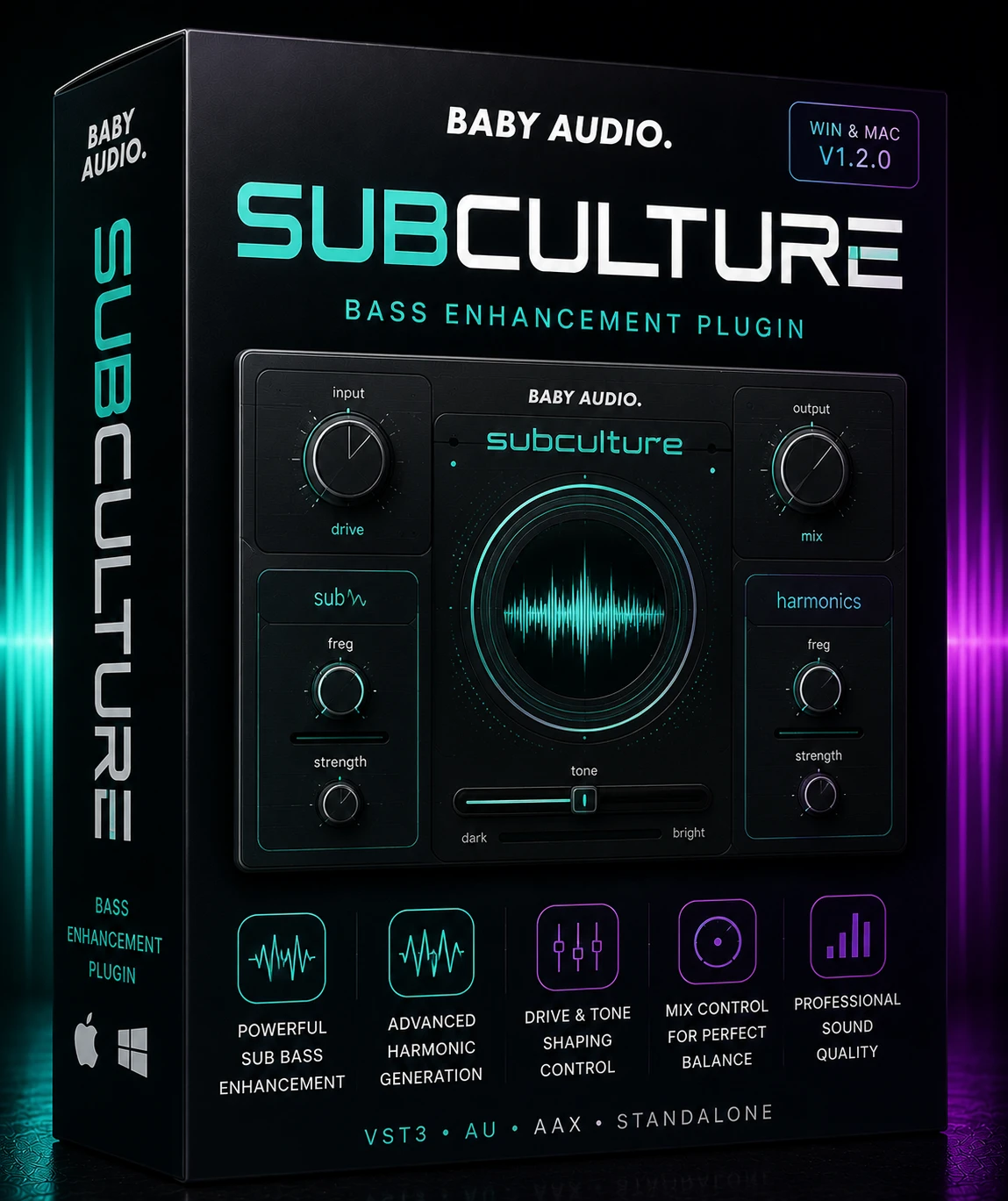
SubCulture’s answer is to detect the pitch of the incoming bass continuously and derive its subharmonics from that detected pitch. The generated low end is therefore musically related to the note being played at that moment, and it tracks as the part moves.
Baby Audio describes the result as adding maximal low end in perfect tune with the bassline, generating musically tuned subharmonics derived from the input audio and avoiding subsonic frequency clashes. That last phrase is the operative one — the plugin is specifically designed to prevent the interference described above.
The practical difference shows up on moving parts. On a held note, a conventional enhancer and SubCulture will sound broadly similar. On a walking bassline or an arpeggiated synth bass, the difference is the point of the product.
Eighteen months of development for what is conceptually a single-purpose processor tells you where the difficulty lies: real-time monophonic pitch detection that stays reliable on real-world bass material is a hard engineering problem, not a hard interface problem.
Calibrating Detection
Baby Audio states that the pitch detection engine handles most monophonic input signals without adjustment. The qualifier matters — monophonic. Pitch tracking a single line is tractable; tracking a chord is a fundamentally different problem.
For difficult sources, a tuning fork icon in the upper left corner opens the pitch detection calibration controls. The developer identifies three categories where this is likely needed:
- Distorted input — heavy saturation adds harmonic content that can confuse fundamental detection.
- Noisy input — amp hum, fret noise and bleed give the tracker extra material to misread.
- Ambiguous input — sources where the fundamental is weak relative to upper harmonics.
The full description of the calibration parameters is in the manual, which Baby Audio publishes as a free download. Anyone intending to use the plugin on distorted bass should read that section rather than assume defaults will hold.
Verified Tech Specs
- Plugin formats: VST, VST3, AU and AAX, all 64-bit. VST2 is included, which is increasingly uncommon.
- macOS: 10.13 and up, including native Apple Silicon M-chip compatibility.
- Windows: Windows 10 and newer.
- DAWs supported: all major hosts, with Baby Audio naming Ableton Live, Pro Tools, Logic Pro, FL Studio, Cubase, Studio One, Bitwig, Reaper and Reason.
- Documentation: a full manual is available for download from the product page.
This is about as broad as plugin compatibility gets. AAX means Pro Tools is a first-class target rather than an afterthought, VST2 keeps older host versions viable, and native Apple Silicon support is explicitly stated rather than implied. macOS 10.13 as a floor is unusually generous for a recent release.
Setup and First Insert
- Download the installer for macOS or Windows from Baby Audio.
- Run it — a PKG installer on macOS, a setup executable on Windows.
- Enter the licence key emailed at purchase into the trial mode opening screen.
- Rescan plugins in your DAW if SubCulture does not appear.
- Insert it directly on the bass channel rather than a bus, since pitch tracking requires a monophonic source.
That last step is the one people get wrong. Placing a pitch-tracking processor on a full mix bus or a submix containing multiple instruments removes its ability to do the thing it was built for.
Bass Guitar and 808 Walkthroughs
Electric bass guitar, live recording
Insert SubCulture after any corrective EQ but before compression, so the generated subharmonics are compressed along with the source and stay glued to it. If the DI is clean, the detection engine should lock without intervention. If the part was recorded through an overdriven amp, open the tuning fork calibration and adjust until the tracking stops jumping on the more distorted notes. Add sub content gradually and check on headphones as well as monitors — most small speakers will not reproduce what you are adding, which makes it very easy to overdo.
808 and synth bass in electronic production
An 808 already carries substantial low content, so the goal shifts from adding weight to adding definition and tuning stability. Insert SubCulture on the 808 channel and use it sparingly, listening specifically at the transitions between notes where a conventional enhancer would smear. Because the subharmonics follow the detected pitch, glides and pitch bends remain coherent rather than producing a fixed drone underneath a moving note. Reference the result against a commercial track in the same genre before committing.
Where SubCulture Earns Its Slot
- Bass guitar recordings lacking bottom octave weight.
- Moving basslines where fixed-frequency enhancers fall apart.
- 808 and synth bass needing tuning stability across glides.
- Kick drums requiring tuned low extension.
- Mixes intended for club, car and streaming playback simultaneously.
Baby Audio also addresses master bus use in its own FAQ, which is worth reading directly — a pitch-tracking processor on a full mix is working against its design assumptions.
Next to Traditional Bass Enhancers
The established category includes fixed-band and ratio-based subharmonic generators, and independent reviewers have positioned SubCulture against tools of that type — products such as Waves RBass and Submarine, Brainworx bx_subsynth and UAD LoAir occupy the same shelf.
The architectural difference is real and verifiable: those tools generate low content without deriving it from detected pitch, while SubCulture does. That is a genuine design distinction, not marketing.
Whether it produces a better result in your session is a separate question and depends heavily on material. On a sustained one-note sub, a simpler tool may sound identical and cost less. On complex moving bass, the tuned approach addresses a problem the others do not attempt to solve. It is also worth noting that pitch tracking introduces a dependency the others lack — if detection fails on unusually difficult material, a fixed-band generator has nothing to fail at.
No superiority claim is made here. The relevant question is whether your basslines move.
Who Needs It
Producers and mixers whose bass parts are melodic rather than static, working in genres where the bottom octave carries the record. Pro Tools users benefit from full AAX support, and anyone on older macOS or Windows systems is well covered by the 10.13 and Windows 10 floors.
Less essential if your bass is a single sustained note per section, or if your monitoring cannot reproduce below 50 Hz — in which case the first purchase should be monitoring, not a plugin.
Questions About Pitch Tracking
Which plugin formats are included?
VST, VST3, AU and AAX, all 64-bit.
Is VST2 supported?
Yes, the VST format is listed alongside VST3.
Does it work in Pro Tools?
Yes, via AAX.
Is Apple Silicon supported natively?
Yes. Baby Audio states native Apple Silicon M-chip compatibility.
What is the minimum macOS version?
macOS 10.13.
What Windows versions are supported?
Windows 10 and newer.
Which DAWs are supported?
All major DAWs, including Ableton Live, Pro Tools, Logic Pro, FL Studio, Cubase, Studio One, Bitwig, Reaper and Reason.
Does it work on polyphonic material?
The detection engine is described as handling monophonic input signals. Chords are outside its design case.
What if my bass is distorted?
Use the tuning fork icon in the upper left to calibrate pitch detection for distorted, noisy or ambiguous input.
Where do I find the calibration documentation?
In the downloadable manual on the product page.
Can I use it on a master track?
Baby Audio addresses this in its own FAQ. As a pitch-tracking processor it is designed for individual bass sources.
Can it be used on kick drums?
Yes, tuned low extension on kicks is a common application.
How do I activate it?
Enter the emailed licence key on the trial mode opening screen.
Bottom Line
Eighteen months of development on a plugin that does one thing suggests the difficulty was never the concept but the execution, and that is exactly right — reliable real-time pitch detection on distorted, noisy, real-world bass is the entire product. The interface could have been drawn in a week.
The compatibility sheet is close to ideal: four formats including VST2 and AAX, macOS back to 10.13, native Apple Silicon, and every major host named explicitly. Very few recent releases cover that much ground.
The clearest way to decide is to look at your own bass parts. If they move, this addresses something fixed-band enhancers structurally cannot. If they do not, cheaper tools will get you most of the way.
Find related processors in Mix & Master Plugins. Manual and specifications: babyaud.io.















 Download instantly from PluginsBoutique
 Instant Digital Delivery







Reviews
Clear filtersThere are no reviews yet.