Try our service free
→ Discover complimentary downloads without needing a payment method.
Browse free





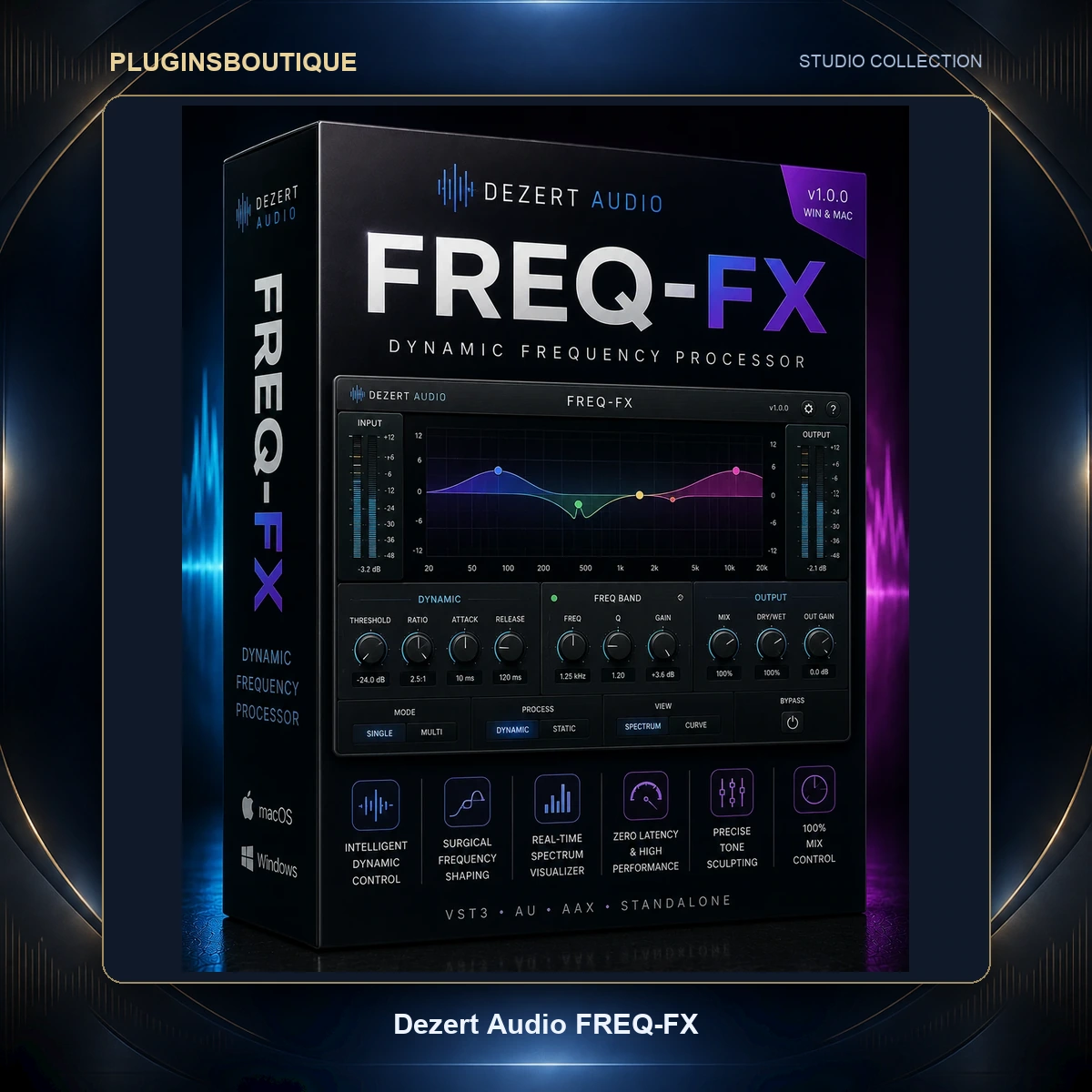


Dezert Audio’s First Effects Plugin
Dezert Audio built its name on sampled instruments — FREQ-2 and PolyFreq are sample-based sound sources drawn from a collection of rare hardware. FREQ-FX is the point at which the developer stopped supplying sounds and started supplying ways to ruin them.
The reasoning behind an effects plugin from an instrument developer is not hard to follow. If your catalogue is built on recordings of characterful hardware, you have already spent years listening to what makes hardware sound like hardware. Distortion that behaves musically, saturation that thickens instead of fizzes, modulation that drifts rather than oscillates mechanically.
FREQ-FX is described by its developer as an analog-modeled creative multi-effect built around eight modules, intended to put the sound of classic effect pedals and hardware into a plugin. That is a specific claim about intent, and it sets expectations correctly: this is not a surgical toolkit.
The Eight Modules
The plugin is organised around eight effect modules covering, in the developer’s own framing, texture, movement, width, depth and distortion. Rather than list features the developer has not published in detail, it is more useful to explain what that division implies in practice.
- Texture — the grit and surface character that separates a recorded sound from a rendered one.
- Movement — modulation that stops a static sound sitting still in the arrangement.
- Width — stereo behaviour, which is how a mono source stops competing for the centre.
- Depth — front-to-back placement, the dimension most amateur mixes lack entirely.
- Distortion — harmonic generation across the range from subtle thickening to outright destruction.
The EXCITER blend sits alongside these as a dedicated control, adding movement and high-end sparkle to a patch. A blend control rather than a switch matters here, because exciters are among the easiest processors to overuse.
One point of caution for anyone reading the official page: some marketing copy on Dezert’s site describes reverb behaviour belonging to the FREQ-2 instrument rather than to FREQ-FX. This listing does not attribute those specifications to FREQ-FX, because the developer has not published them for this product.
Randomization and Patch Generation
The Randomize button is more central to FREQ-FX than a novelty feature would be, and it reflects something true about creative effects processing.
When you insert an EQ, you know what you want — less mud at 300 Hz. When you insert a creative multi-effect, you usually do not. You know the sound is boring and you are searching for a direction. Under those conditions, methodically auditioning parameter combinations is slow and biased toward the settings you always use.
Randomization breaks that habit loop. Dezert’s own framing is that the possibilities are effectively endless, and the practical workflow is to randomise repeatedly until something catches your attention, then refine manually from there rather than starting from a neutral state.
This suits the plugin’s position in a chain. It is not doing corrective work where a wrong answer is audible as a fault; it is doing character work where the only test is whether you like it.
Published System Requirements
Dezert publishes separate requirement tables for each platform, and they differ in a way that matters.
macOS
- Operating system: macOS Big Sur 11.0 and above.
- Processor: Intel Core i5 or better, or Apple Silicon M1 or better — Apple Silicon is explicitly supported.
- Memory: 8 GB RAM.
- Plugin formats: AU and VST3.
- DAWs tested: Logic Pro, FL Studio, Ableton Live.
- Authentication: internet connection required.
Windows
- Operating system: Windows 10 (64-bit).
- Processor: Intel Core i5 or better.
- Memory: 8 GB RAM.
- Plugin formats: VST3 only.
- DAWs tested: FL Studio, Ableton Live.
- Authentication: internet connection required.
Two consequences follow. First, there is no AAX build on either platform, so Pro Tools is not supported. Second, Dezert lists DAWs it has tested rather than DAWs it supports — a narrower and more honest claim. Cubase, Studio One, Reaper and Bitwig all host VST3 and would be expected to work, but they are not on the tested list, and this listing will not claim they are.
The internet requirement for authentication is worth flagging for anyone running an offline studio machine.
Getting Started
- Purchase and download the installer for your platform from Dezert Audio.
- Run the installer, which places the AU and VST3 components on macOS or the VST3 on Windows.
- Ensure the machine has an internet connection available for authentication.
- Open your DAW and rescan plugins if FREQ-FX does not appear.
- Insert it on a channel and authenticate when prompted.
Because the plugin is a character processor rather than a mix-bus utility, the most useful first placement is on a single uninspiring element — a flat synth line or a dry loop — rather than across a full mix.
Two Texture Workflows
Reviving a sterile synth line
Insert FREQ-FX directly on the synth channel. Before adjusting anything, hit Randomize three or four times and simply listen, noting which results move in a direction you like. Once one catches your ear, stop randomising and work manually from that state — pull back whichever module is doing the most damage, then bring the EXCITER blend up slowly until the top end opens without becoming brittle. The aim is a sound that no longer announces itself as a preset.
Building depth on a drum loop
Run the loop through a send rather than an insert, so you retain the dry transients. Push the wet path hard — texture and distortion well past what would be acceptable on the full signal — then blend it underneath the dry loop until the drums gain weight and surface noise without losing their attack. This parallel approach is where analog-modeled distortion tends to earn its keep, because you are adding harmonic content rather than replacing the original.
Best Applications
- Synth and keyboard parts that sound clean but characterless.
- Parallel drum processing for weight and grit.
- Electronic genres where texture is the point rather than a side effect.
- Producers who work fast and prefer discovery to methodical dialling.
- Logic Pro, FL Studio and Ableton Live users, given those are the tested hosts.
Compared With Other Multi-FX Chains
Against a modular effects rack where you assemble your own chain from individual plugins, FREQ-FX trades flexibility for speed. A hand-built chain will always be more precise; it will also take considerably longer and is far less likely to produce something you did not expect.
Against other creative multi-effects, the honest position is that this is a young product from a small developer with a narrower published specification than established competitors. It supports fewer formats — no VST2, no AAX — and Dezert lists only three tested DAWs on macOS and two on Windows. Larger developers typically publish broader compatibility.
What it offers in exchange is a specific voicing derived from a developer whose entire catalogue was built by sampling characterful hardware, plus a randomisation workflow built around creative search rather than parameter precision. Whether that voicing suits your material is a listening decision, and Dezert publishes demonstration material for exactly that purpose.
No claim is made here that it outperforms any competing product. It is a different tool with a different emphasis and a smaller published support matrix.
Producers It Fits
Electronic producers working in Logic Pro, FL Studio or Ableton Live who have plenty of clean sounds and not enough interesting ones. It suits people who enjoy accidents.
It does not suit Pro Tools rooms, offline studio machines, or engineers whose priority is precise, repeatable, corrective processing.
FAQ
What plugin formats does FREQ-FX use?
AU and VST3 on macOS; VST3 only on Windows.
Is there an AAX version for Pro Tools?
No. AAX is not listed on either platform.
Is there a VST2 version?
No. Only VST3, plus AU on macOS.
Does it support Apple Silicon?
Yes. Dezert lists Apple Silicon M1 or better alongside Intel Core i5 or better.
What is the minimum macOS version?
macOS Big Sur 11.0 and above.
What is the minimum Windows version?
Windows 10, 64-bit.
How much RAM is required?
8 GB on both platforms.
Which DAWs has it been tested in?
Logic Pro, FL Studio and Ableton Live on macOS; FL Studio and Ableton Live on Windows.
Will it work in Cubase, Studio One or Reaper?
Those hosts support VST3, but Dezert does not list them as tested. Try the developer’s trial or contact support before relying on it.
Does it need an internet connection?
Yes, for authentication.
How many effect modules are there?
Eight.
What does the Randomize button do?
It generates new patches instantly across the plugin’s controls.
What is the EXCITER control?
A blend that adds movement and high-end sparkle.
Summary
An instrument developer moving into effects usually brings a particular bias with them, and here that bias is audible in the framing — eight modules organised around texture, movement, width, depth and distortion, with a randomiser sitting at the centre of the workflow rather than tucked away as an afterthought.
The published support matrix is narrow and should be checked against your setup before purchase: no AAX, no VST2, macOS Big Sur upward, Windows 10 64-bit, and a short list of tested hosts. Those constraints are the price of buying from a small developer early.
For producers already working in the three tested DAWs who want character rather than correction, the randomisation-first approach is a genuinely different way to work.
More processors in Mix & Master Plugins. Official specifications: dezertaudio.com.











Reviews
Clear filtersThere are no reviews yet.