Fraction in Context
There is a persistent divide in software instruments between synthesis and sampling. Synthesis gives you infinite tweakability and a sound that, however good the modelling, originates in mathematics. Sampling gives you the actual recorded article and comparatively less room to move.
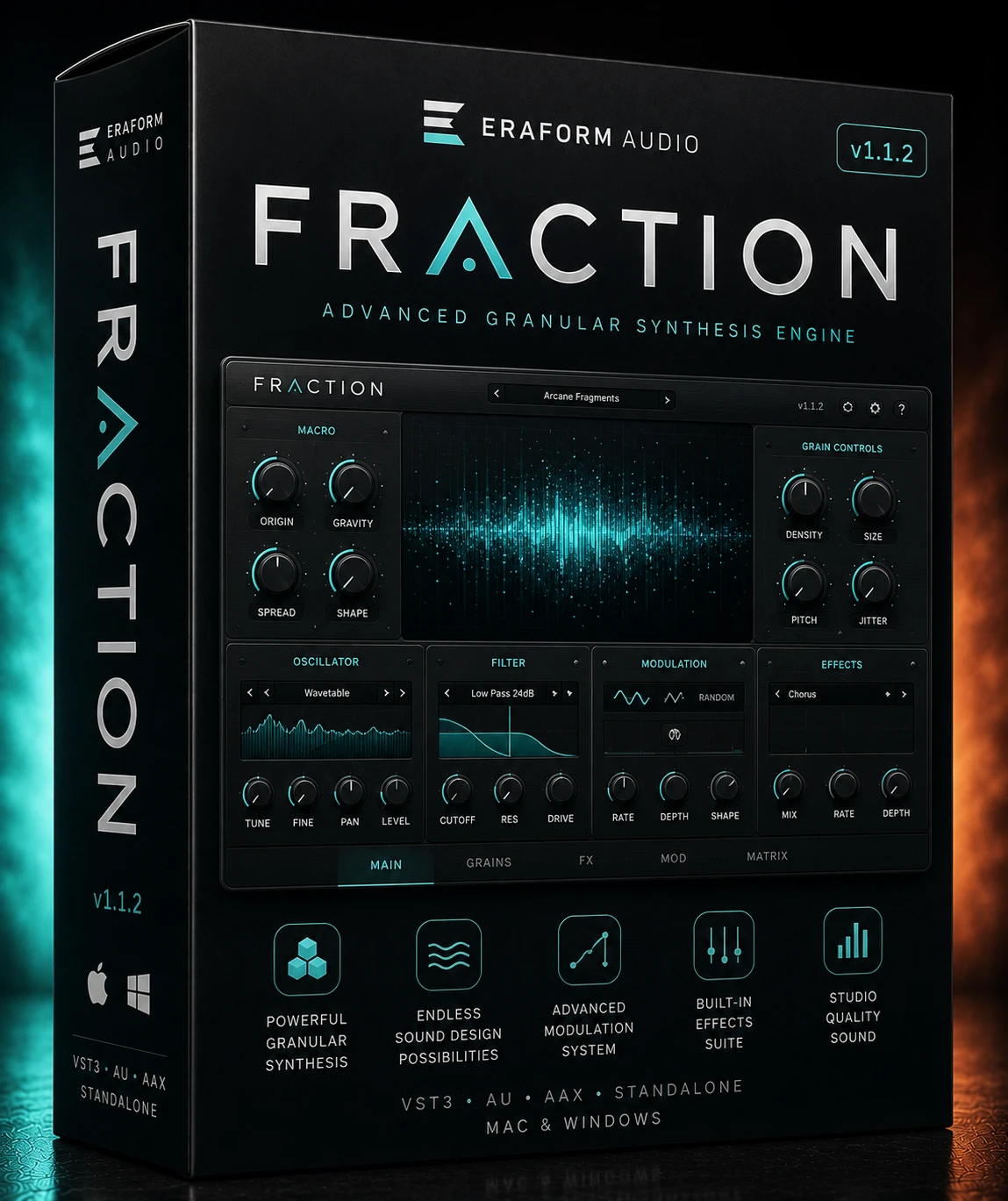
Fraction sits on the sampling side, and does so deliberately. Eraform Audio built it with Prototype Audio around multisampled source material rather than modelled oscillators, on the reasoning that producers chasing a specific hardware character are better served by recordings of that hardware than by an approximation of it.
The trade-off is disk space, and Fraction does not hide from it. This is a large install by any standard, and anyone working from a modest SSD should read the requirements section before buying rather than after.
The Multisample Engine
Because Fraction is sample-based, its character is decided by the source recordings rather than by an oscillator algorithm. What the instrument adds on top is the playback and shaping layer — the part that turns a folder of recordings into something playable and musically responsive.
The engine reads from the factory expansion content, which is where the bulk of the download goes. Presets address that content, meaning patch files themselves are small while the underlying library is enormous. This is the standard architecture for large sampled instruments and it has one practical implication worth knowing: moving or renaming the expansion folder will break preset loading.
Eraform positions the instrument around bass-weighted and textural material in its own marketing, and the community reaction has clustered around low-end content in particular. Treat that as a signal about where the library’s strengths lie rather than a limitation on what it can do.
Expansions and Factory Content
Content is delivered through an expansion system rather than one monolithic library:
- The factory expansion content included with purchase contains all the sounds and presets for Fraction.
- Additional expansions such as Monuments and Core-Synth install into the same Expansions folder.
- Expansions must sit directly in that folder — the developer warns explicitly that a subfolder will prevent content appearing.
That last point causes more support traffic than any other aspect of the instrument. Unzipping utilities routinely create an extra directory level, and the result is an expansion that exists on disk but is invisible to the browser.
Disk, OS and Host Requirements
- Plugin formats: 64-bit VST3 and AU. No AAX build is listed, so Pro Tools is not natively supported.
- DAWs: any host supporting VST3 or AU. Eraform names FL Studio, Ableton Live, Logic Pro, Studio One, Reaper and GarageBand; the manual specifies FL Studio 12 or later and Studio One 5.
- macOS: 10.9 or later recommended.
- Windows: 10 or later recommended.
- Download size: a compressed archive of approximately 25 GB.
- Free disk space: the developer’s figures vary across pages between roughly 51 GB and 60 GB required during extraction. Provide the larger amount.
- Activations: up to three of your own devices per licence.
Two honest observations. First, Eraform does not publish an explicit Apple Silicon statement, so anyone on an M-series Mac should confirm current compatibility with support directly rather than assume it — this listing will not claim support the developer has not stated. Second, the absence of AAX is a genuine exclusion rather than an oversight to work around; Pro Tools users have no supported route in.
The variance in the published disk figures is worth flagging plainly. The product page cites 51.0 GB, the support page 51.4 GB, and the manual 59.8 GB. Sizing for 60 GB avoids a failed extraction halfway through.
Installing the Content
- Download the archive and the installer for your operating system.
- Extract the archive somewhere with ample free space — extraction is the peak-space operation, not the final install.
- Run the correct installer for your platform. On Windows the VST3 goes to C:/Program Files/Common Files/VST3; on macOS the component installs to the standard Components location.
- Place the expansion content in the Expansions folder, with no additional subfolder nesting.
- Confirm your DAW scans the standard plugin directories, then rescan.
- Activate the licence, which permits up to three devices.
- Once installed and verified, the original ZIP can be deleted to reclaim space.
If Fraction does not appear in your DAW, the cause is almost always one of two things: the installer placed files where your host is not scanning, or the expansion content is nested one level too deep.
Building a Patch From Scratch
A practical route into the instrument, using a bass part as the example.
Start from an unprocessed source rather than a finished preset, so you can hear what the raw multisample actually contains. Play the part in first and listen to how the sampled material responds across the range — sampled instruments frequently behave differently in the low octaves than the mid, and knowing where the transition sits saves rewriting the part later.
Shape the amplitude envelope before touching filtering. On sampled sources the recorded attack is already present, so aggressive envelope attack settings fight the material rather than shaping it.
Bring in filtering only to remove what the arrangement does not need. Because the source is a recording rather than a synthesised waveform, subtractive filtering tends to be more effective than additive processing here.
Finally, save into your own preset area rather than overwriting factory content, and keep the expansion folder untouched — patches reference it by path.
Strongest Applications
- Bass and low-end design, where the library’s reputation is concentrated.
- Trap, phonk, drill and bass-led electronic production.
- Producers wanting hardware-derived character without owning or maintaining hardware.
- Songwriters who want playable sounds rather than a programming exercise.
- Studios with fast local storage and space to spare.
Poor fits are equally clear: Pro Tools rooms, laptops with small drives, and anyone whose priority is deep synthesis editing rather than sampled realism.
Fraction Versus Conventional Romplers
Compared with a general-purpose rompler covering many instrument families shallowly, Fraction commits to a narrower palette explored in more depth. Whether that is an advantage depends entirely on whether its palette is the one you need — breadth genuinely matters if you score across styles.
Compared with modelled analogue synthesisers, the trade is the familiar one: Fraction gives you recordings of real sources, a modelled synth gives you unlimited parameter freedom and a fraction of the install size. A 60 GB extraction requirement is a real cost that a modelled instrument simply does not impose.
Compared with sampler platforms like Kontakt, Fraction is self-contained — no host sampler purchase is required — but it is also a closed system. You cannot load your own material into it the way you can with a general sampler.
On format coverage specifically, VST3 and AU without AAX is narrower than several competing instruments offer. That is a factual difference rather than a judgement, but it decides the purchase for Pro Tools users.
Intended Users
Producers working in bass-forward electronic and hip-hop styles who want immediate, recorded-sounding results and have the disk space to accommodate a large library. The three-device activation makes it practical for anyone splitting work between machines.
Anyone in Pro Tools, or anyone whose main interest is synthesis rather than sampled sources, should look elsewhere.
Support Questions
Which plugin formats does Fraction use?
64-bit VST3 and AU.
Does it work in Pro Tools?
No AAX build is listed, so Pro Tools is not supported.
Which DAWs are supported?
Any host supporting VST3 or AU, including FL Studio, Ableton Live, Logic Pro, Studio One, Reaper and GarageBand.
What operating systems does it run on?
macOS 10.9 or later and Windows 10 or later are the recommended minimums.
Is Apple Silicon supported?
Eraform does not publish an explicit statement on this. Confirm with the developer before purchasing if you are on an M-series Mac.
How much disk space do I need?
Published figures range from roughly 51 GB to 60 GB during extraction. Allow 60 GB.
How large is the download?
Approximately 25 GB compressed.
Can I delete the ZIP after installing?
Yes, once installation is verified.
How many computers can I use it on?
Up to three of your own devices per licence.
What happens if I share my licence?
Eraform states that activity not recognised as your own devices may result in the licence being restricted to a single active device.
Why is Fraction not showing in my DAW?
Either the installer placed files outside your scanned folders, or your host has not rescanned. Check the standard VST3 and Components locations.
Why is my expansion not appearing?
Expansions must sit directly in the Expansions folder. An extra subfolder level hides them.
What expansions are available?
Packs including Monuments and Core-Synth install alongside the factory content.
Is the factory content included with purchase?
Yes. The factory expansion content contains all sounds and presets for Fraction.
Where It Lands
Fraction asks for something unusual up front — clear 60 GB and accept a closed sample system — and what it returns is immediacy. There is no oscillator to configure and no modelling to second-guess, because the sound was recorded rather than computed.
That bargain will not suit everyone. The install size is genuinely large, the format coverage stops short of Pro Tools, and Apple Silicon status is unstated rather than confirmed. None of those are dealbreakers for the producers this was built for, and all of them are worth knowing before checkout rather than during installation.
Where it succeeds is in removing the distance between hearing a sound in your head and having it under your fingers, which for bass-led production is most of the job.
Browse more instruments in VST Instruments or explore Synth Plugins. Developer documentation: eraformaudio.com.














 Download instantly from PluginsBoutique
 Instant Digital Delivery



Reviews
Clear filtersThere are no reviews yet.