Try our service free
→ Discover complimentary downloads without needing a payment method.
Browse free






WG DAW Converter – Professional DAW Project File Converter
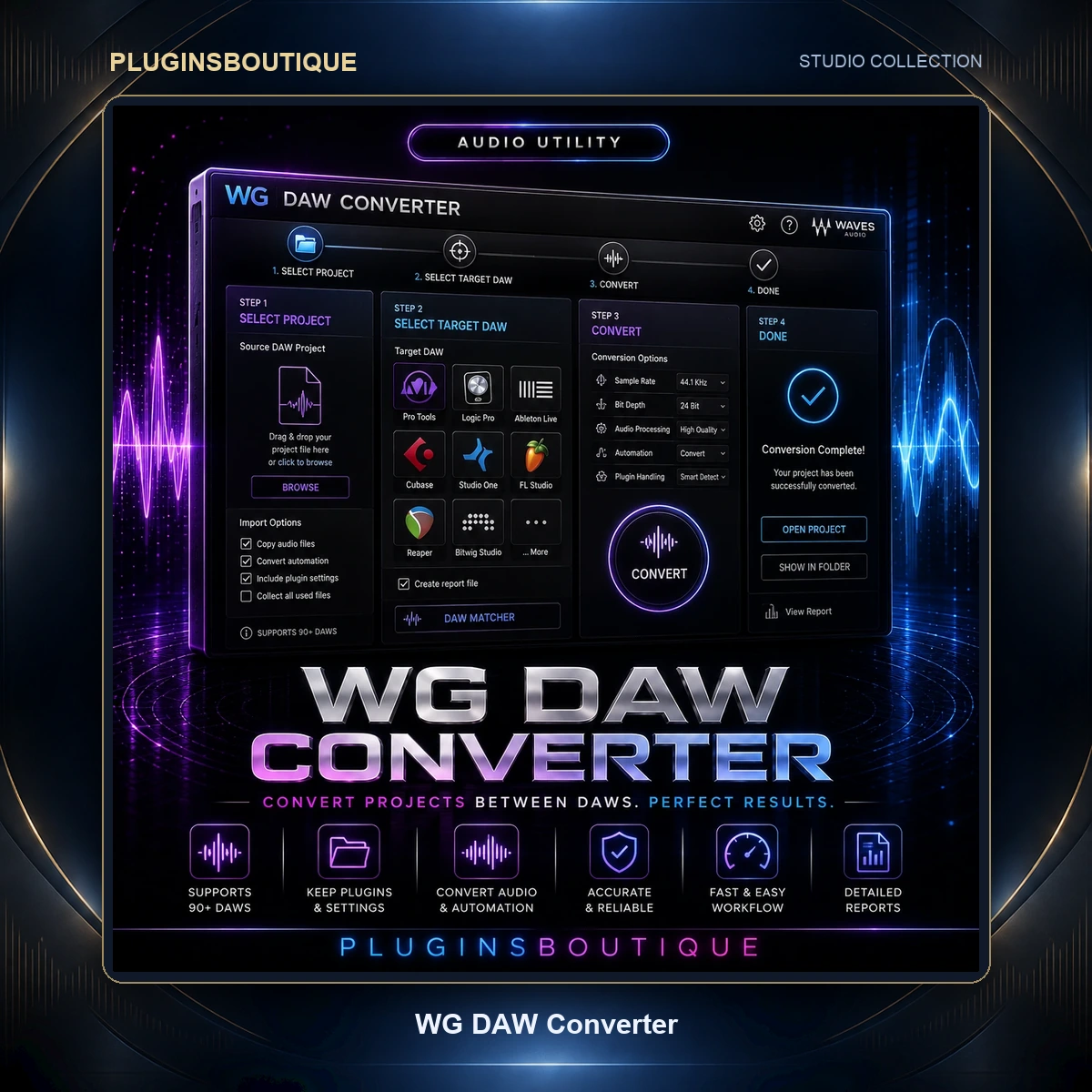
WG DAW Converter is a specialized utility designed to solve one of the most frustrating problems in modern music production: moving a project from one Digital Audio Workstation to another.
Different DAWs use different project formats, workflows and session structures. A Pro Tools session cannot simply be opened in Logic Pro, while a Cubase project cannot normally be opened directly in FL Studio or REAPER.
WG DAW Converter is designed to bridge that gap by reading supported DAW session files directly and converting them into formats that another DAW can open.
Convert DAW Projects Without the Source DAW
One of the most useful features of WG DAW Converter is that the source DAW does not need to be installed.
Instead of opening the original project inside its native software and manually exporting stems or interchange files, WG DAW Converter reads the session file directly.
This can be particularly useful when receiving an old project from a client, collaborating with an engineer who uses another DAW, or moving an existing production to a new workstation.
Supported Source DAWs
WG DAW Converter can read session files from a broad selection of professional audio applications.
Supported source formats include:
- Pro Tools PTX
- Pro Tools PTF
- Pro Tools PTS
- Studio One SONG
- Ableton Live ALS
- Cubase CPR
- Nuendo NPR
- FL Studio FLP
- REAPER RPP
- Logic Pro LOGICX
- Adobe Audition SESX
- OMF
- AAF
The current product information specifically lists support for Studio One 7, Ableton Live 12, Logic Pro 10/11/12, Cubase projects across generations, and Nuendo projects from 1.x through 15.
Multiple Export Options
After loading a supported project, WG DAW Converter can export the session into several formats.
Available output options include:
- AAF
- OMF
- Ableton Live
.als - REAPER
.rpp - Adobe Audition
.sesx - DAWproject
- Aligned per-track WAV files
- MP3
This makes the software useful not only for moving between DAWs but also for preparing projects for clients, editors, studios and other collaborators.
Preserve Track Names and Positions
A major advantage of a session converter is the ability to preserve the organizational information that makes a project useful.
WG DAW Converter is designed to preserve important session information including:
- Track names
- Clip positions
- Markers
- Tempo maps
This means the converted project can retain much more of the original arrangement than simply exporting a collection of disconnected audio files.
Pro Tools Project Conversion
Pro Tools users can work with PTX, PTF and PTS session formats.
This can be particularly useful when a client sends a Pro Tools session but the receiving engineer works primarily in Logic Pro, Cubase, Ableton Live, REAPER or another supported environment.
Instead of requiring the original Pro Tools installation, WG DAW Converter can read the supported session file directly and prepare it for conversion.
Logic Pro Project Conversion
Logic Pro projects using the supported .logicx format can also be read.
This gives producers and engineers another way to move Logic projects into alternative DAW workflows when collaboration requires a different platform.
Cubase and Nuendo Projects
Cubase and Nuendo users can also benefit from the conversion workflow.
The current product information states that WG DAW Converter can read Cubase .cpr files from every generation back to Cubase VST and Nuendo .npr projects from version 1.x through 15.
This makes the software particularly interesting for engineers working with older project archives.
Ableton Live Projects
Ableton Live .als sessions are supported as source projects.
The current information specifically lists Ableton Live 12 projects, allowing supported sessions to be prepared for conversion into other available output formats.
FL Studio Projects
WG DAW Converter also supports FL Studio .flp project files.
This can be useful when collaborating with producers who build projects in FL Studio while the mixing or mastering stage is performed in another DAW.
REAPER Projects
REAPER .rpp project files are supported as source sessions, and REAPER .rpp is also available as an output format.
This provides flexibility when moving projects into or out of REAPER-based workflows.
Adobe Audition Projects
Adobe Audition .sesx projects are supported as source files, and .sesx is also listed among the output formats.
This can be useful for audio-production workflows that involve both music DAWs and audio-editing environments.
AAF and OMF
AAF and OMF are widely used interchange formats for moving audio sessions between different applications.
WG DAW Converter supports both as input and output options, providing another route for transferring projects between production environments.
DAWproject Support
DAWproject provides another modern interchange option for supported workflows.
WG DAW Converter includes DAWproject among its available export formats, giving users another method of transferring project information between compatible applications.
Per-Track WAV Export
Not every situation requires a fully converted DAW project.
Sometimes the most reliable option is simply to create correctly aligned audio files for each track.
WG DAW Converter can export aligned per-track WAV files, providing an efficient fallback when a direct project-to-project conversion is not appropriate.
MP3 Export
MP3 is also available as an output option.
This can be useful when a quick reference mix or audio preview is needed rather than a complete editable project.
Useful for Studio Collaboration
Modern music production frequently involves multiple people using different DAWs.
A producer may work in FL Studio, a vocalist may record in Logic Pro, a mix engineer may prefer Pro Tools, and a mastering engineer may use another environment.
Normally, moving between these systems requires manual exports and careful session preparation.
WG DAW Converter is designed to reduce that friction by providing a direct session-conversion workflow.
Useful for Old Project Archives
Another important use case is accessing older projects.
Studios and producers can accumulate hundreds or thousands of sessions created in software they no longer use.
If the original DAW is unavailable, opening those projects can become difficult.
A converter that can directly parse supported session formats provides a potential way to extract useful project information without maintaining every old DAW installation indefinitely.
Important Plugin Consideration
Project conversion does not mean that every instrument, effect or proprietary DAW feature can automatically become identical in another DAW.
Different DAWs use different plugin ecosystems, built-in instruments, automation systems and project structures.
Therefore, the most reliable expectation is to use WG DAW Converter for transferring supported session structure, timing and audio information while checking the converted project afterward for DAW-specific features.
Who Is WG DAW Converter For?
WG DAW Converter is particularly useful for:
- Music producers
- Mixing engineers
- Recording engineers
- Mastering engineers
- Recording studios
- Audio post-production professionals
- Remote collaborators
- Producers changing DAWs
- Engineers working with archived sessions
- Studios receiving projects from multiple DAWs
Final Verdict
WG DAW Converter addresses a very specific but increasingly common problem in modern audio production: DAW incompatibility.
Its ability to read supported session files directly, without requiring the source DAW, makes it especially useful for collaboration, project migration and older-session recovery.
With support covering Pro Tools, Studio One, Ableton Live, Cubase, Nuendo, FL Studio, REAPER, Logic Pro, Adobe Audition, OMF and AAF, plus output options including AAF, OMF, DAWproject, DAW-specific formats and aligned WAV files, it provides a practical bridge between different production environments.
Product FAQ
What is WG DAW Converter?
WG DAW Converter is a utility for converting supported DAW project and session files between different audio-production environments.
Does WG DAW Converter require the original DAW?
No. The software is designed to read supported source session files directly without requiring the source DAW to be installed.
Which DAWs are supported?
The current information lists Pro Tools, Studio One, Ableton Live, Cubase, Nuendo, FL Studio, REAPER, Logic Pro and Adobe Audition, along with OMF and AAF.
Can I convert Pro Tools sessions?
Yes. PTX, PTF and PTS formats are listed as supported Pro Tools source formats.
Can I convert Logic Pro projects?
Yes. Logic Pro .logicx projects are supported.
Can I convert FL Studio projects?
Yes. FL Studio .flp project files are supported.
Can I convert Cubase projects?
Yes. Cubase .cpr files are supported, including older generations according to the current product information.
Can I convert Ableton Live projects?
Yes. Ableton Live .als projects are supported.
Does it support REAPER?
Yes. REAPER .rpp files are supported as both source and output formats.
Does it preserve track positions?
The current product information states that track names, clip positions, markers and tempo maps are preserved during conversion.
Can it export individual WAV tracks?
Yes. Aligned per-track WAV export is available.
Does it support AAF and OMF?
Yes. Both AAF and OMF can be used within the supported conversion workflow.
Does it support DAWproject?
Yes. DAWproject is listed as an output format.
Can it convert plugins between DAWs?
The software converts supported session information, but DAW-specific plugins and proprietary instruments cannot necessarily be reproduced identically in another DAW. The converted project should therefore be checked after conversion.









Reviews
Clear filtersThere are no reviews yet.